 6d6c6792f1
* checkpoint vitepress docs

* edits

* edits

* hero drop shadow

* d3-array edits

* resolve d3

* split d3-array

* move d3-array stuff around

* d3-array is collapsed: true

* italicize parameter names

* searching edits

* update dependencies

* d3-array edits

* array edits

* array edits

* array edits

* array edits

* array edits

* move files

* array edits

* array edits

* array edits

* getting started edits

* modules page

* array edits

* more structure

* live example

* dsv edits

* fetch edits

* dsv edits

* random edits

* time format edits

* time edits

* time edits

* modules edits

* color edits

* color edits

* interpolate edits

* scale-chromatic edits

* selection edits

* break up d3-interpolate

* scale edits

* time scale edits

* scale edits

* scale edits

* band edits

* band edits

* more descriptive titles

* band and point edits

* sequential edits

* diverging edits

* quantize edits

* quantile edits

* threshold edits

* doc edits

* fix titles

* sequential edits

* axis edits

* axis edits

* axis edits

* shape edits

* shape edits

* dark mode chart

* dark mode chart

* curve edits

* interpolate edits

* line edits

* link edits

* radial edits

* pie edits

* symbol edits

* stack edits

* stack examples

* path edits

* polygon edits

* quadtree edits

* random examples

* ease edits

* ease edits

* ease edits

* timer edits

* delaunay edits

* quadtree find example

* voronoi edits

* dispatch edits

* contour edits

* chord edits

* chord edits

* fix find highlight

* quadtree animation

* transition edits

* transition edits

* transition edits

* zoom edits

* drag edits

* brush edits

* force edits

* voronoi neighbors example

* hierarchy edits

* api edits

* community edits

* getting started edits

* geo edits

* Add short "D3 in React" section (#3659)

* Add short "D3 in React" section

I know you removed the TODO but I was already trying to fill it in! I think just making the distinction of modules that touch the DOM and those that don't was super clarifying for me personally when I figured that out. And I always forget the most basic ref pattern (and still might've messed it up here). I don't think we should get into updating or interactivity or whatever, but I think just this much goes a long way toward demystifying (and showing just the most basic best practices).

* forgot i made data generic, rm reference to normal distribution

* useEffect cleans up after itself

Co-authored-by: Mike Bostock <mbostock@gmail.com>

* Update getting-started.md

---------

Co-authored-by: Mike Bostock <mbostock@gmail.com>

* build fixes

* index edits

---------

Co-authored-by: Toph Tucker <tophtucker@gmail.com>
3.9 KiB
d3-force
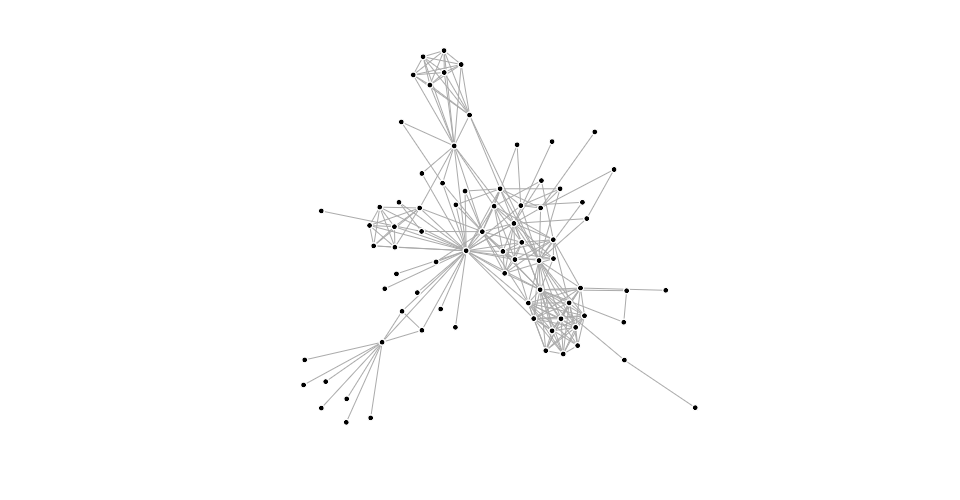
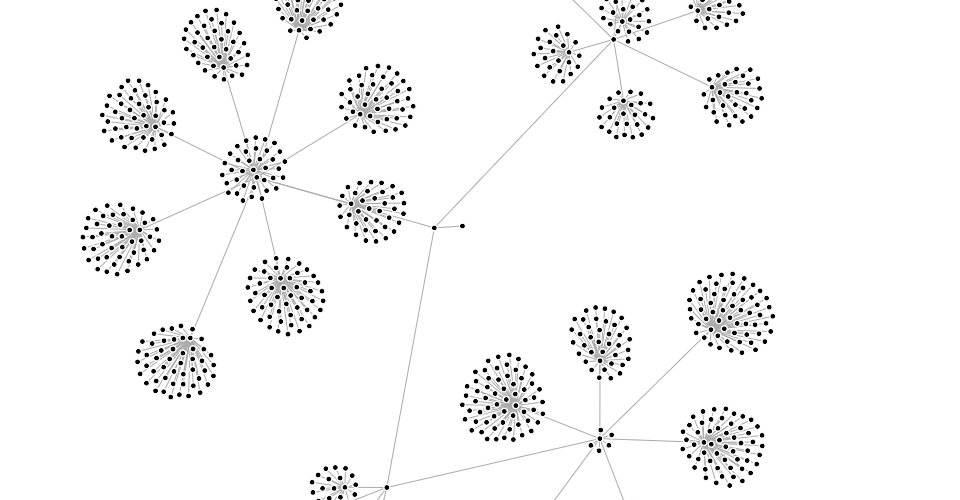
This module implements a velocity Verlet numerical integrator for simulating physical forces on particles. Force simulations can be used to visualize networks and hierarchies:
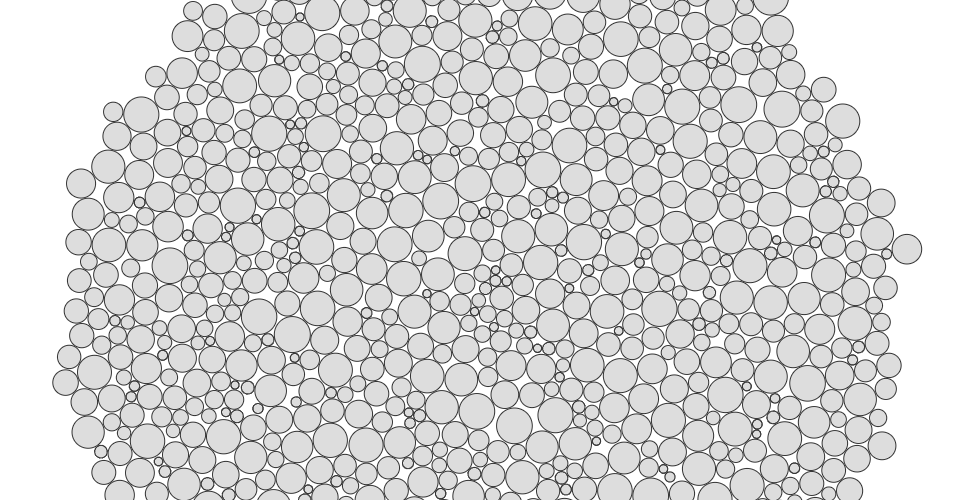
You can also simulate circles (disks) with collision, such as for bubble charts:
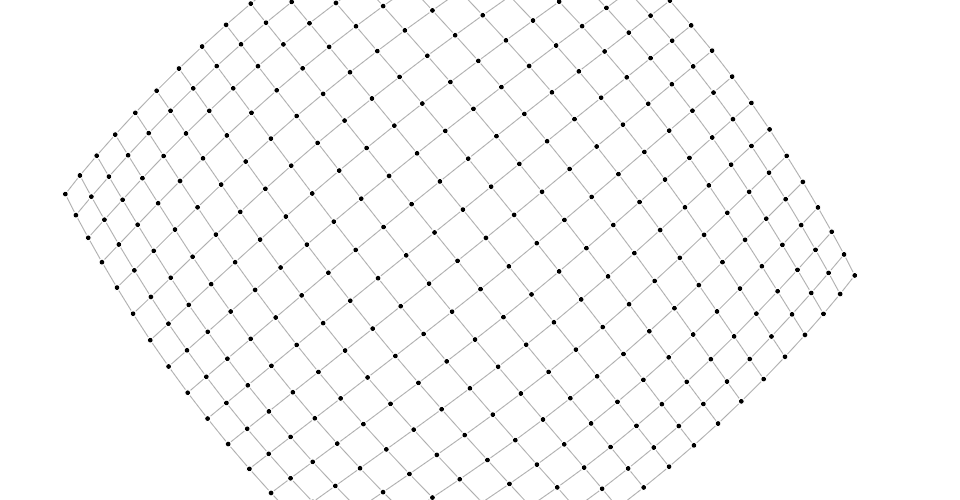
You can even use it as a rudimentary physics engine, say to simulate cloth:
To use this module, create a simulation for an array of nodes, and compose the desired forces. Then listen for tick events to render the nodes as they update in your preferred graphics system, such as Canvas or SVG.
See one of:
Custom forces
A force is a function that modifies nodes’ positions or velocities. It can simulate a physical force such as electrical charge or gravity, or it can resolve a geometric constraint such as keeping nodes within a bounding box or keeping linked nodes a fixed distance apart. For example, here is a force that moves nodes towards the origin:
function force(alpha) {
  for (let i = 0, n = nodes.length, node, k = alpha * 0.1; i < n; ++i) {
    node = nodes[i];
    node.vx -= node.x * k;
    node.vy -= node.y * k;
  }
}
Forces typically read the node’s current position ⟨x,y⟩ and then mutate the node’s velocity ⟨vx,vy⟩. Forces may also “peek ahead” to the anticipated next position of the node, ⟨x + vx,y + vy⟩; this is necessary for resolving geometric constraints through iterative relaxation. Forces may also modify the position directly, which is sometimes useful to avoid adding energy to the simulation, such as when recentering the simulation in the viewport.
force(alpha)
Applies this force, optionally observing the specified alpha. Typically, the force is applied to the array of nodes previously passed to force.initialize, however, some forces may apply to a subset of nodes, or behave differently. For example, forceLink applies to the source and target of each link.
force.initialize(nodes)
Supplies the array of nodes and random source to this force. This method is called when a force is bound to a simulation via simulation.force and when the simulation’s nodes change via simulation.nodes. A force may perform necessary work during initialization, such as evaluating per-node parameters, to avoid repeatedly performing work during each application of the force.