mirror of
https://github.com/Kenshin/simpread.git
synced 2026-01-25 14:28:34 +00:00

1.4 KiB
Executable File
1.4 KiB
Executable File
描述
markdown 的特点是基于文本,所以很容易编写和传播,但它无法实时预览,而 Markdeep 可以解决这个问题,让你的 markdown 可以预览。
官网
https://casual-effects.com/markdeep/
截图
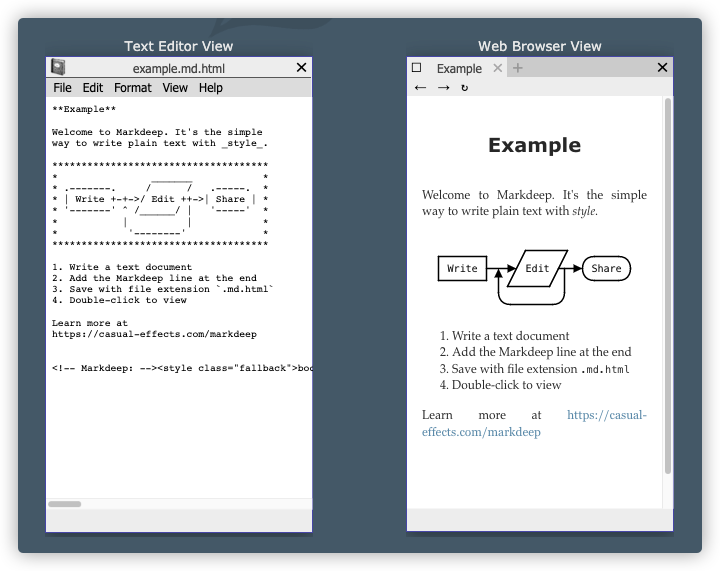
原理
在任何 .md 加上 下面的内容,然后保存命名为 .md.html 即可
<!-- Markdeep: --><style class="fallback">body{visibility:hidden;white-space:pre;font-family:monospace}</style><script src="markdeep.min.js" charset="utf-8"></script><script src="https://morgan3d.github.io/markdeep/latest/markdeep.min.js" charset="utf-8"></script><script>window.alreadyProcessedMarkdeep||(document.body.style.visibility="visible")</script>
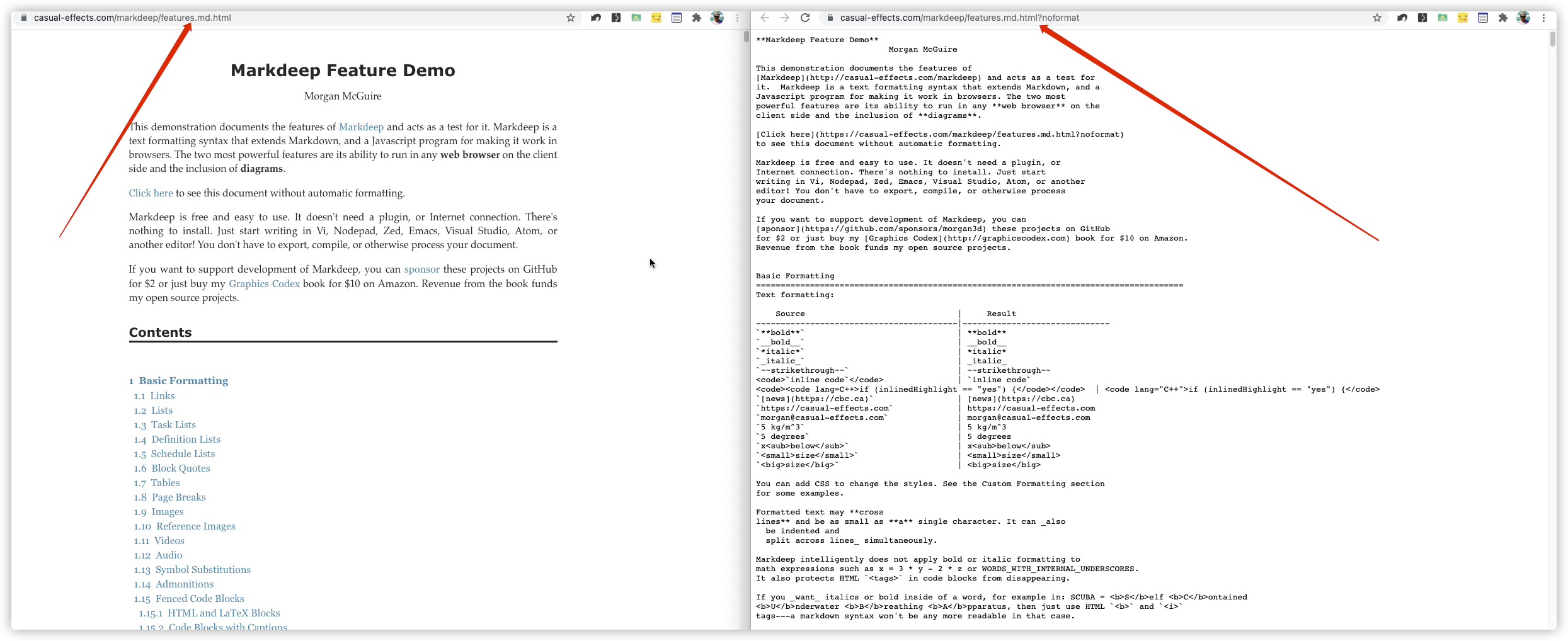
如官网提供的 https://casual-effects.com/markdeep/features.md.html 即可查看具体效果,而使用 https://casual-effects.com/markdeep/features.md.html?noformat 即可查看 markdown 文本。
如何使用
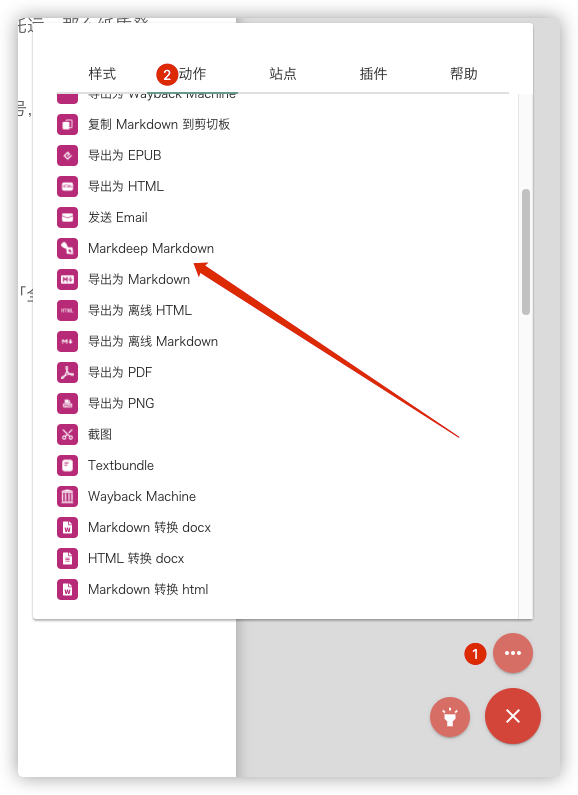
简悦 2.2 已经集成了 markdeep 你可以直接使用,并支持快捷键 m p
定制化
Markdeep 支持不同主题,你可以 在这里 找到更多模板。
同时,简悦也支持定制化,位置在:选项页 → 服务 → 定制导出