3.1 KiB
GCanvas Weex Bridge iOS Guide
If your project use Weex, and want to integrate GCanvas, or you want to see how to run Weex sample with GCanvas. This guide is just for you.
Integrate GCanvas
Requirement
- Make sure that you have installed the iOS development environment and CocoaPods.
- Make sure that you have integrate WeexSDK >= 0.16.X
- Make sure that you have insalled the weex-toolkit in Nodejs 4.0+ for running case
Installation with CocoaPods
Add these pods to your Podfile and run pod install to install:
pod 'WeexGcanvas'
pod 'WeexPluginLoader'
WeexPluginLoader would dynamic register Weex Module and Component of GCanvas, so we do not need to register manually. dd
Now, you can use official sample to test GCanvas, sample.vue file in path ./examples/2d/sammple.vue.
You can also write a sample by youself.
Write Weex Sample
Before write a Weex sample, you should learn Weex Tutorial.
There is a simple page below, find this in path ./bridges/weex-bridge/examples/2d/simple.vue.
<template>
	<div ref="test">
		<gcanvas ref="canvas_holder" style="width:750;height:750;background-color:rgba(0,0,0,0.1)"></gcanvas>
	</div>
</template>
<script>

//for debug
const enable = require('../../../../js/dist/gcanvas.min.js').enable;
const WeexBridge = require('../../../../js/dist/gcanvas.min.js').WeexBridge;
const GImage = require('../../../../js/dist/gcanvas.min.js').Image;


module.exports = {
    mounted: function () {
        var ref = this.$refs.canvas_holder;
        var size = {width:750, height:750};
        var gcanvas = enable(ref, size);
        var ctx = gcanvas.getContext('2d');

        //rect
        ctx.fillStyle = 'red';
        ctx.fillRect(0, 0, 100, 100);

        //rect
        ctx.fillStyle = 'black';
        ctx.fillRect(100, 100, 100, 100);
        ctx.fillRect(25, 210, 700, 5);

        //circle
        ctx.arc(450, 200, 100, 0, Math.PI * 2, true);
        ctx.fill();

		//image
        var image = new GImage();
        image.src = 'https://gw.alicdn.com/tfs/TB1KwRTlh6I8KJjy0FgXXXXzVXa-225-75.png';
        image.onload = function(){
          ctx.drawImage(image, 100, 300);
        };
    }
};
</script>
Run Weex Sample
-
Fisrt, Use
weex-toolkitto create Weex Javascript bundle.weex preview sample.vueThere would be lanuch a default browser(Chrome) , and generate Javascript bundle show as qrcode.
-
Second,Install
GCanvasPlaygroundapp runpod installinios/playgroundpath, and then installGCanvasPlaygroundapp on your iPhone device. -
Finally, Run
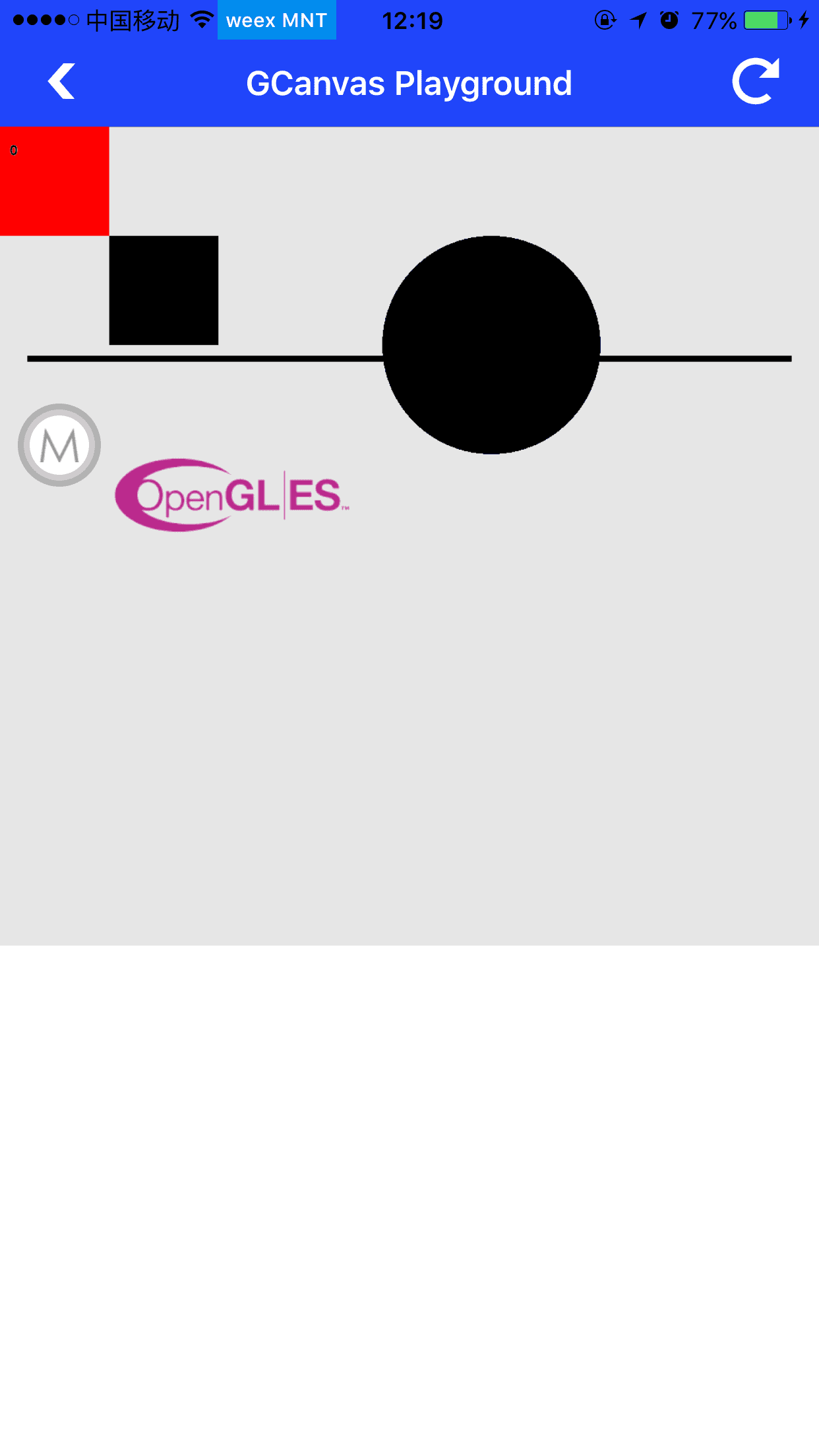
GCanvasPlaygroundapp, scan qrcode created at first setp. If you get reuslt same as below, congratuation.