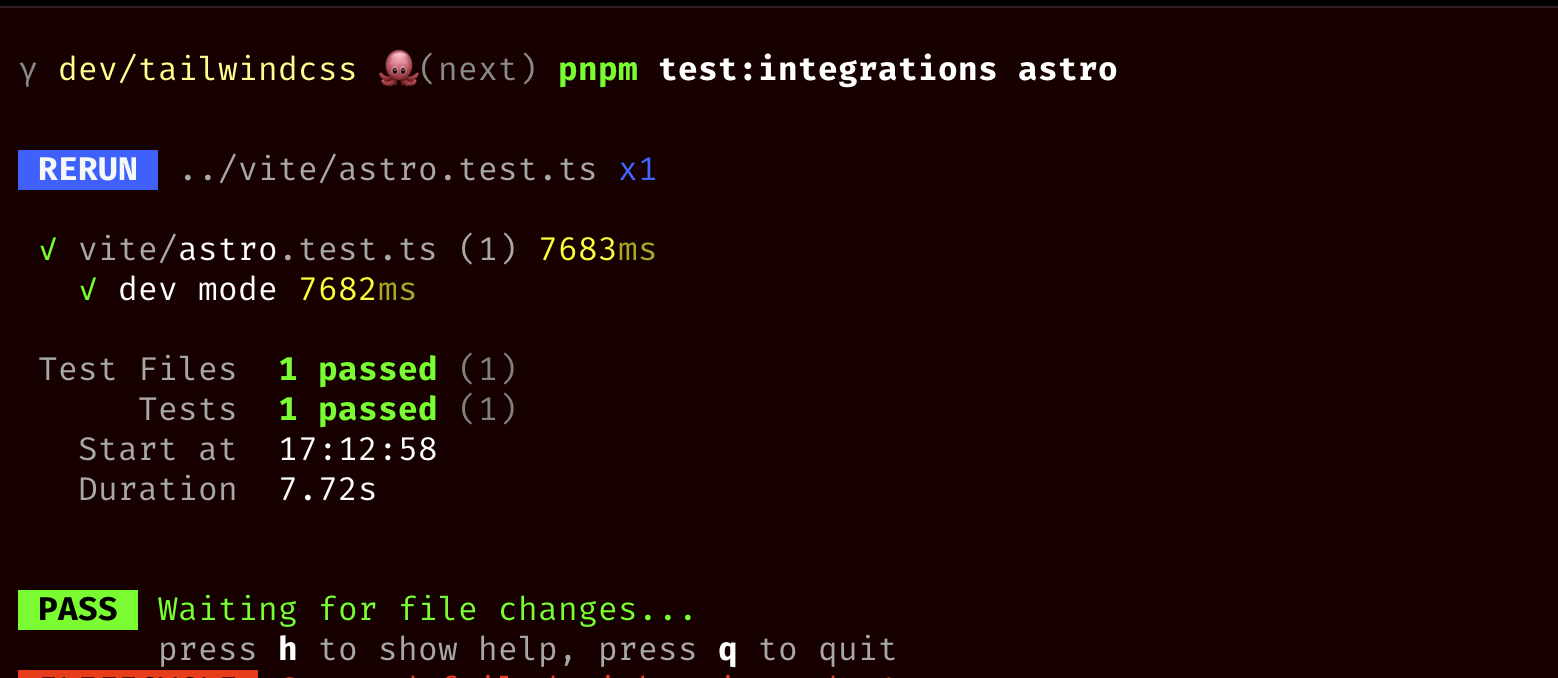
This PR improves the PostCSS migrations to make sure that we install
`@tailwindcss/postcss` in the same bucket as `tailwindcss`.

If `tailwindcss` exists in the `dependencies` bucket, we install
`@tailwindcss/postcss` in the same bucket. If `tailwindcss` exists in
the `devDependencies` bucket, we install `@tailwindcss/postcss` in the
same bucket.

This also contains an internal refactor that normalizes the package
manager to make sure we can install a package to the correct bucket
depending on the package manager.

---------

Co-authored-by: Adam Wathan <adam.wathan@gmail.com>
We broke this at some point — probably when we tried to optimize
rebuilds in PostCSS by not performing a full auto-source detection scan.

This PR addresses this problem by:
1. Storing a list of found directories
2. Comparing their mod times on every scan
3. If the mod time has changed we scan the directory for new files which
we then store and scan
This PR introduces a new `source(…)` argument and improves on the
existing `@source`. The goal of this PR is to make the automatic source
detection configurable, let's dig in.

By default, we will perform automatic source detection starting at the
current working directory. Auto source detection will find plain text
files (no binaries, images, ...) and will ignore git-ignored files.

If you want to start from a different directory, you can use the new
`source(…)` next to the `@import "tailwindcss/utilities"
layer(utilities) source(…)`.

E.g.:

```css
/* ./src/styles/index.css */
@import 'tailwindcss/utilities' layer(utilities) source('../../');
```

Most people won't split their source files, and will just use the simple
`@import "tailwindcss";`, because of this reason, you can use
`source(…)` on the import as well:

E.g.:

```css
/* ./src/styles/index.css */
@import 'tailwindcss' source('../../');
```

Sometimes, you want to rely on auto source detection, but also want to
look in another directory for source files. In this case, yuo can use
the `@source` directive:

```css
/* ./src/index.css */
@import 'tailwindcss';

/* Look for `blade.php` files in `../resources/views` */
@source '../resources/views/**/*.blade.php';
```

However, you don't need to specify the extension, instead you can just
point the directory and all the same automatic source detection rules
will apply.

```css
/* ./src/index.css */
@import 'tailwindcss';

@source '../resources/views';
```

If, for whatever reason, you want to disable the default source
detection feature entirely, and only want to rely on very specific glob
patterns you define, then you can disable it via `source(none)`.

```css
/* Completely disable the default auto source detection */
@import 'tailwindcss' source(none);

/* Only look at .blade.php files, nothing else  */
@source "../resources/views/**/*.blade.php";
```

Note: even with `source(none)`, if your `@source` points to a directory,
then auto source detection will still be performed in that directory. If
you don't want that, then you can simply add explicit files in the globs
as seen in the previous example.

```css
/* Completely disable the default auto source detection */
@import 'tailwindcss' source(none);

/* Run auto source detection in `../resources/views` */
@source "../resources/views";
```

---------

Co-authored-by: Jordan Pittman <jordan@cryptica.me>
Co-authored-by: Adam Wathan <4323180+adamwathan@users.noreply.github.com>
This PR adds a migration to bump the `prettier-plugin-tailwindcss`
version to the latest version when upgrading your project. This is to
ensure that the plugin is compatible with the latest version of Tailwind
CSS.

Note: we will only do this _if_ you already used the
`prettier-plugin-tailwindcss` plugin in your project.
This PR is a continuation of #14783 to handle the feedback on that PR.

1. Update the test to be more realistic
2. Updated the comment

---------

Co-authored-by: Adam Wathan <4323180+adamwathan@users.noreply.github.com>
This PR fixes an issue where `layer(…)` next to imports were removed
where they shouldn't have been removed.

The issue exists if _any_ of the `@import` nodes in a file contains
`@utility`, if that's the case then we removed the `layer(…)` next to
_all_ `@import` nodes.

Before we were checking if the current sheet contained `@utility` or in
any of its children (sub-`@import` nodes).

This fixes that by looping over the `@import` nodes in the current
sheet, and looking for the `@utility` in the associated/imported file.
This way we update each node individually.

Test plan:
---

Added a dedicated integration test to make sure all codemods together
result in the correct result. Input:

96e8908378/integrations/upgrade/index.test.ts (L2076-L2108)

Output:

96e8908378/integrations/upgrade/index.test.ts (L2116-L2126)
This PR improves where we inject the border compatibility CSS. Before
this change we injected it if it was necessary in one of these spots:

- Above the first `@layer base` to group it together with existing
`@layer base` at-rules.
- If not present, after the last `@import`, to make sure that we emit
valid CSS because `@import` should be at the top (with a few
exceptions).

However, if you are working with multiple CSS files, then it could be
that we injected the border compatibility CSS multiple times if those
files met one of the above conditions.

To solve this, we now inject the border compatibility CSS with the same
rules as above, but we also have another condition:

The border compatibility CSS is only injected if the file also has a
`@import "tailwindcss";` _or_ `@import "tailwindcss/preflight";` in the
current file.

---

Added integration tests to make sure that we are generating what we
expect in a real environment. Some of the integration tests also use the
old `@tailwind` directives to make sure that the order of migrations is
correct (first migrate to `@import` syntax, then inject the border
compatibility CSS).

---------

Co-authored-by: Adam Wathan <adam.wathan@gmail.com>
This PR fixes an issue where currently a `theme()` function call inside
an arbitrary value that used a dot in the key path:

```jsx
let className = "ml-[theme(spacing[1.5])]"
```

Was causing issues when going though the codemod. The issue is that for
candidates, we require `_` to be _escaped_, since otherwise they will be
replaced with underscore. When going through the codemods, the above
candidate would be translated to the following CSS variable access:

```js
let className = "ml-[var(--spacing-1\_5))"
```

Because the underscore was escaped, we now have an invalid string inside
a JavaScript file (as the `\` would escape inside the quoted string.

To resolve this, we decided that this common case (as its used by the
Tailwind CSS default theme) should work without escaping. In
https://github.com/tailwindlabs/tailwindcss/pull/14776, we made the
changes that CSS variables used via `var()` no longer unescape
underscores. This PR extends that so that the Variant printer (that
creates the serialized candidate representation after the codemods make
changes) take this new encoding into account.

This will result in the above example being translated into:

```js
let className = "ml-[var(--spacing-1_5))"
```

With no more escaping. Nice!

## Test Plan

I have added test for this to the kitchen-sink upgrade tests.
Furthermore, to ensure this really works full-stack, I have updated the
kitchen-sink test to _actually build the migrated project with Tailwind
CSS v4_. After doing so, we can assert that we indeed have the right
class name in the generated CSS.

---------

Co-authored-by: Adam Wathan <adam.wathan@gmail.com>
This PR fixes an issue when trying to resolve plugins with `exports` in
their `package.json`, like `@headlessui/tailwindcss`. The missing
`conditionNames` in the enhanced resolver config would cause it to not
properly look up the name.
## Test Plan
I added a test using the `postcss` setup (the existing plugin tests are
inside the CLI setup but the CLI can only ever run in Module JS mode).
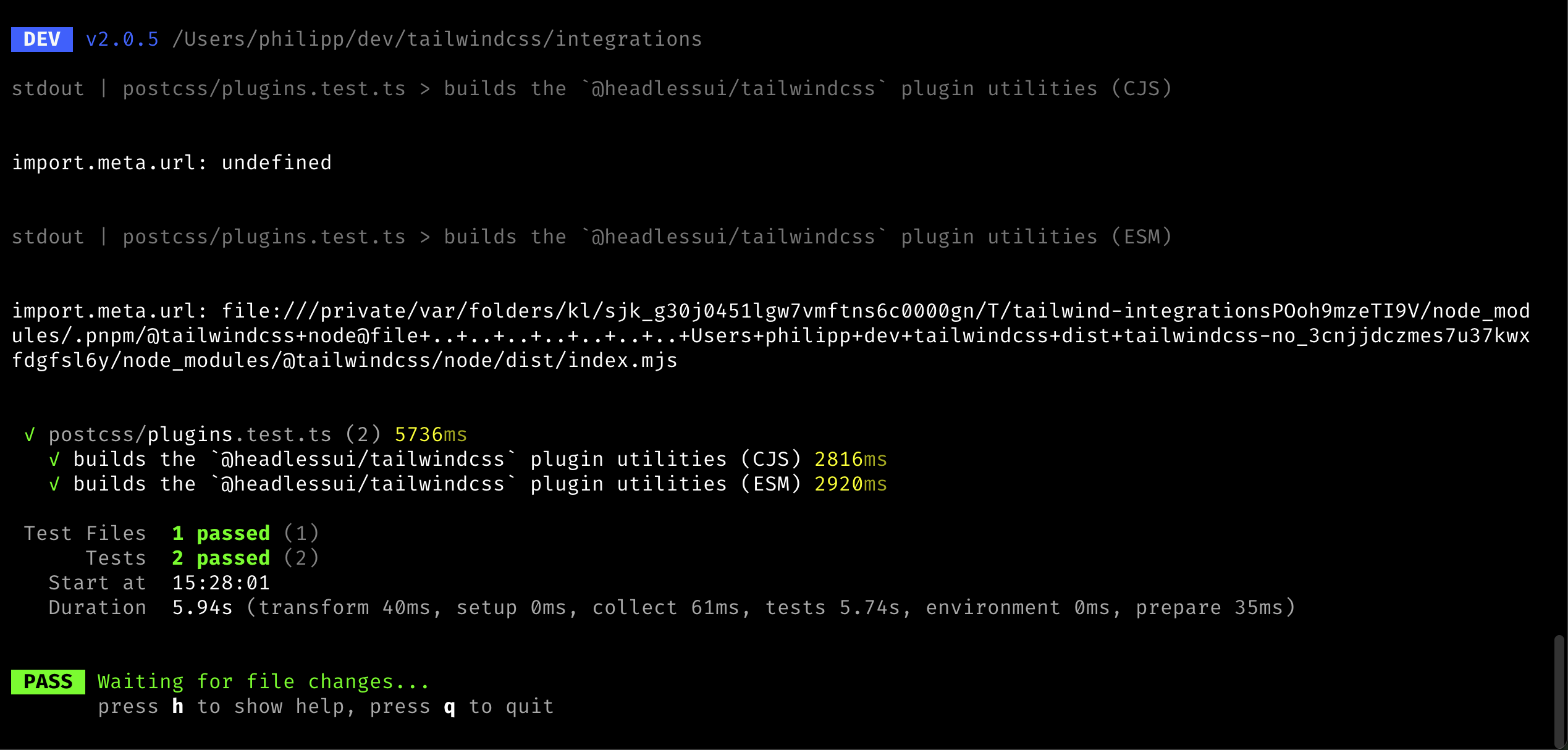
To ensure the tests are resolving to the right environment (CJS vs MJS),
I added logging of the `import.meta.url` value to the resolver code.
When run, this was the output:
Co-authored-by: Adam Wathan <adam.wathan@gmail.com>
This PR improves the heuristics around the important codemod (e.g.
`!border` => `border!`) as we noticed a few more cases where we the
current heuristics was not enough.

Specifically, we made it not migrate the candidate in the following
conditions:

- When there's an immediate property access: `{ "foo": !border.something
+ ""}`
- When it's used as condition in the template language: `<div
v-if="something && !border"></div>` or `<div x-if="!border"></div>`

## Test plan

I added test cases to the unit tests and updated the integration test to
contain a more sophisticated example.

---------

Co-authored-by: Adam Wathan <adam.wathan@gmail.com>
This PR makes sure the `migrateImport` codemod is properly registered so
that it runs as part of the upgrade process.

## Test plan

This PR adds a new `v3` playground with an `upgrade` script that you can
use to run the upgrade from the local package. When you add a
non-prefixed `@import` to the v3 example, the paths are now properly
updated with no errors logged:


https://github.com/user-attachments/assets/85949bbb-756b-4ee2-8ac0-234fe1b2ca39

---------

Co-authored-by: Adam Wathan <4323180+adamwathan@users.noreply.github.com>
Co-authored-by: Philipp Spiess <hello@philippspiess.com>
This PR fixes an issue where JS configuration theme properties with dots
or slashes in them would not migrate correctly. E.g.:

```ts
import { type Config } from 'tailwindcss'

module.exports = {
  theme: {
    width: {
      1.5: '0.375rem',
      '1/2': '50%',
    }
  }
}
```

This should convert to:

```css
@theme {
  --width-1_5: 0.375rem;
  --width-1\/2: 50%;
}
```

_Note: We will likely change the `--width-1_5` key to `--width-1\.5` in
a follow-up PR._

---------

Co-authored-by: Robin Malfait <malfait.robin@gmail.com>
Co-authored-by: Adam Wathan <4323180+adamwathan@users.noreply.github.com>
Co-authored-by: Adam Wathan <adam.wathan@gmail.com>
This PR adds a codemod that ensures that the border styles from Tailwind CSS v3 work as expected once your project is migrated to Tailwind CSS v4.

In Tailwind CSS v3, the default border color is `colors.gray.200` and in Tailwind CSS v4 the default border color is `currentColor`.

Similarly in Tailwind CSS v3, DOM elements such as `input`, `select`, and `textarea` have a border width of `0px`, in Tailwind CSS v4, we don't change the border width of these elements and keep them as `1px`.

If your project happens to already use the same value for the default border color (`currentColor`) as we use in Tailwind CSS v4, then nothing happens. But this is very unlikely, so we will make sure that we honor your `borderColor.DEFAULT` value.

If you didn't change the default values in your `tailwind.config.js`, then we will inject compatibility CSS using the default Tailwind CSS v3 values to ensure the default color and width are applied correctly.
The important candidate migration is one of the most broad we have since it matches for any utility that are prefixed with an exclamation mark.

When running the codemodes on our example projects, we noticed that this was instead creating false-positives with candidates used in code positions, e.g:

```ts
export default {
  shouldNotUse: !border.shouldUse,
}
```

To prevent false-positives, this PR adds a heuristics to detect wether or not a candidate is used in a non-code position. We do this by checking the character before and after the modifier and only allow quotes or spaces.

This can cause candidates to not migrate that are valid Tailwind CSS classes, e.g.:

```ts
let classNames = `!underline${isHovered ? ' font-bold' : ''}`
```

This, however, is not a big issue since v4 can parse the v3 important prefix too.
This PR migrates the `@variants` and `@responsive` directives.

In Tailwind CSS v2, these were used to generate certain variants of responsive variants for the give classes. In Tailwind CSS v3, these still worked but were implemented as a no-op such that these directives don't end up in your final CSS.

In Tailwind CSS v4, these don't exist at all anymore, so we can safely get rid of them by replacing them with their contents.

Input:
```css
@variants hover, focus {
  .foo {
    color: red;
  }
}

@responsive {
  .bar {
    color: blue;
  }
}
```

Output:
```css
.foo {
  color: red;
}

.bar {
  color: blue;
}
```
Fixes: #14558

This PR fixes an issue where our Vite plugin would crash when trying to load stylesheets via certain static asset query parameters:

```ts
import raw from './style.css?raw'
import url from './style.css?url'
```

The proper behavior for our extension is to _not touch these file at all_. The `?raw` identifier should never transform anything and the `?url` one will emit a module which points to the asset URL. However, if that URL is loaded as a stylesheet, another transform hook is called and the file is properly transformed. I verified this in the Vite setup and have added an integration test ensuring these two features work as expected.

I've also greatly reduced the complexity of the Vite playground to make it easier to set up examples like this in the future.
We have a migration that adds the `layer(…)` next to the `@import`
depending on the order of original values. For example:
```css
@import "tailwindcss/utilities":
@import "./foo.css":
@import "tailwindcss/components":
```

Will be turned into:
```css
@import "tailwindcss":
@import "./foo.css" layer(utilities):
```

Because it used to exist between `utilities` and `components`. Without
this it would be _after_ `components`.

This results in an issue if an import has (deeply) nested `@utility`
at-rules after migrations. This is because if this is generated:
```css
/* ./src/index.css */
@import "tailwindcss";
@import "./foo.css" layer(utilities);

/* ./src/foo.css */
@utility foo {
  color: red;
}
```

Once we interpret this (and thus flatten it), the final CSS would look
like:
```css
@layer utilities {
  @utility foo {
    color: red;
  }
}
```

This means that `@utility` is not top-level and an error would occur.

This fixes that by removing the `layer(…)` from the import if the
imported file (or any of its children) contains an `@utility`. This is
to ensure that once everything is imported and flattened, that all
`@utility` at-rules are top-level.
This PR updates all of our OKCLH colors to use `0` instead of `none` due
to weird behavior in Chrome where using `color-mix` with colors using
`none` produces unexpected results:
<img width="1110" alt="image"
src="https://github.com/user-attachments/assets/2272e494-500b-4f75-b5c1-d41c714f0339">
Both `none` and `0` behave as expected in Safari and Firefox so
suspecting this is a bug in Chrome rather than spec'd behavior.
Fixes#14740
---------
Co-authored-by: Adam Wathan <4323180+adamwathan@users.noreply.github.com>
This PR changes the migration of `content` rules in the JS config to CSS codemods.

When a `content` rule is processed which matches files that are _also matched by the automatic content discovery in v4_, we do not need to emit CSS for that rule.

Take, for example this v3 configuration file:

```ts
import { type Config } from 'tailwindcss'

module.exports = {
  content: [
    './src/**/*.{html,js}',
    './node_modules/my-external-lib/**/*.{html}'
  ],
} satisfies Config
```

Provided the base directories match up, the first rule will also be covered by the automatic content discovery in v4 and thus we only need to convert the second rule to CSS:

```css
@import "tailwindcss";
@source '../node_modules/my-external-lib/**/*.{html}';
```
This PR extends our JS configuration to CSS migration by also allowing `plugins` with options.

An example of such config would be:

```js
import { type Config } from 'tailwindcss'
import myPlugin from "./myPlugin";

export default {
  plugins: [
    myPlugin({
      class: "tw",
    }),
  ],
} satisfies Config;
```

If the option object contains only values allowed in our CSS API, we can convert this to CSS entirely:

```css
@plugin './myPlugin' {
  class: 'tw';
}
```
With the changes in #14672, it now becomes trivial to actually resolve
the config (while still retaining the reset behavior). This means that
we can now convert JS configs that use _functions_, e.g.:

```ts
import { type Config } from 'tailwindcss'

export default {
  theme: {
    extend: {
      colors: ({ colors }) => ({
        gray: colors.neutral,
      }),
    },
  },
} satisfies Config
```

This becomes:

```css
@import 'tailwindcss';

@theme {
  --color-gray-50: #fafafa;
  --color-gray-100: #f5f5f5;
  --color-gray-200: #e5e5e5;
  --color-gray-300: #d4d4d4;
  --color-gray-400: #a3a3a3;
  --color-gray-500: #737373;
  --color-gray-600: #525252;
  --color-gray-700: #404040;
  --color-gray-800: #262626;
  --color-gray-900: #171717;
  --color-gray-950: #0a0a0a;
}
```

---------

Co-authored-by: Adam Wathan <adam.wathan@gmail.com>
Co-authored-by: Robin Malfait <malfait.robin@gmail.com>
This PR builds on top of the new [JS config to CSS
migration](https://github.com/tailwindlabs/tailwindcss/pull/14651) and
extends it to support migrating _static_ plugins.

What are _static_ plugins you might ask? Static plugins are plugins
where we can statically determine that these are coming from a different
file (so there is nothing inside the JS config that creates them). An
example for this is this config file:

```js
import typographyPlugin from '@tailwindcss/typography'
import { type Config } from 'tailwindcss'

export default {
  content: ['./src/**/*.{js,jsx,ts,tsx}'],
  darkMode: 'selector',
  plugins: [typographyPlugin],
} satisfies Config
```

Here, the `plugins` array only has one element and it is a static import
from the `@tailwindcss/typography` module. In this PR we attempt to
parse the config file via Tree-sitter to extract the following
information from this file:

- What are the contents of the `plugins` array
- What are statically imported resources from the file

We then check if _all_ entries in the `plugins` array are either static
resources or _strings_ (something I saw working in some tests but I’m
not sure it still does). We migrate the JS config file to CSS if all
plugins are static and we can migrate them to CSS `@plugin` calls.

## Todo

This will need to be rebased after the updated tests in #14648
A few theme keys have changed in v4 relative to v3:
- `screens` -> `--breakpoint-*`
- `colors` -> `--color-*`
- `animation` -> `--animate-*`
- `borderRadius` -> `--radius-*`
- `boxShadow` -> `--shadow-*`

When using the `theme()` function we wouldn't pick up values from the
CSS for some of these. Likewise, when loading a v3 config not all of
these would be pushed back into the CSS theme and they should've been.

This PR addresses both of these problems.
This PR implements the first version of JS config file migration to CSS.
It is based on the most simple config setups we are using in the
Tailwind UI templates Commit, Primer, Radiant, and Studio.

The example we use in the integration test is a config that looks like
this:

```js
import { type Config } from 'tailwindcss'
import defaultTheme from 'tailwindcss/defaultTheme'

module.exports = {
  darkMode: 'selector',
  content: ['./src/**/*.{html,js}'],
  theme: {
    boxShadow: {
      sm: '0 2px 6px rgb(15 23 42 / 0.08)',
    },
    colors: {
      red: {
        500: '#ef4444',
      },
    },
    fontSize: {
      xs: ['0.75rem', { lineHeight: '1rem' }],
      sm: ['0.875rem', { lineHeight: '1.5rem' }],
      base: ['1rem', { lineHeight: '2rem' }],
    },
    extend: {
      colors: {
        red: {
          600: '#dc2626',
        },
      },
      fontFamily: {
        sans: 'Inter, system-ui, sans-serif',
        display: ['Cabinet Grotesk', ...defaultTheme.fontFamily.sans],
      },
      borderRadius: {
        '4xl': '2rem',
      },
    },
  },
  plugins: [],
} satisfies Config
```

As you can see, this file only has a `darkMode` selector, custom
`content` globs, a `theme` (with some theme keys being overwriting the
default theme and some others extending the defaults). Note that it does
not support `plugins` and/or `presets` yet.

In the case above, we will find the CSS file containing the existing
`@tailwind` directives and are migrating it to the following:

```css
@import 'tailwindcss';

@source './**/*.{html,js}';

@variant dark (&:where(.dark, .dark *));

@theme {
  --box-shadow-*: initial;
  --box-shadow-sm: 0 2px 6px rgb(15 23 42 / 0.08);

  --color-*: initial;
  --color-red-500: #ef4444;

  --font-size-*: initial;
  --font-size-xs: 0.75rem;
  --font-size-xs--line-height: 1rem;
  --font-size-sm: 0.875rem;
  --font-size-sm--line-height: 1.5rem;
  --font-size-base: 1rem;
  --font-size-base--line-height: 2rem;

  --color-red-600: #dc2626;

  --font-family-sans: Inter, system-ui, sans-serif;
  --font-family-display: Cabinet Grotesk, ui-sans-serif, system-ui, sans-serif, "Apple Color Emoji", "Segoe UI Emoji", "Segoe UI Symbol", "Noto Color Emoji";

  --border-radius-4xl: 2rem;
}
```

This replicates all features of the JS config so we can even delete the
existing JS config in this case.

---------

Co-authored-by: Robin Malfait <malfait.robin@gmail.com>
This PR injects a `@config "…"` in the CSS file if a JS based config has
been found.

We will try to inject the `@config` in a sensible place:
1. Above the very first `@theme`
2. If that doesn't work, below the last `@import`
3. If that doesn't work, at the top of the file (as a last resort)
When a stylesheet is imported with `@import “…” layer(utilities)` that
means that all classes in that stylesheet and any of its imported
stylesheets become candidates for `@utility` conversion.

Doing this correctly requires us to place `@utility` rules into separate
stylesheets (usually) and replicate the import tree without layers as
`@utility` MUST be root-level. If a file consists of only utilities we
won't create a separate file for it and instead place the `@utility`
rules in the same stylesheet.

Been doing a LOT of pairing with @RobinMalfait on this one but I think
this is finally ready to be looked at

---------

Co-authored-by: Robin Malfait <malfait.robin@gmail.com>
This PR attempts to detect simple postcss setups: These are setups that
do not load dynamic modules and are based off the examples we are
[recommending in our
docs](https://tailwindcss.com/docs/installation/using-postcss). We
detect wether a config is appropriate by having it use the object plugin
config and by not requiring any other modules:

```js
module.exports = {
  plugins: {
    tailwindcss: {},
    autoprefixer: {},
  },
}
```

When we find such a config file, we will go over it line-by-line and
attempt to:

- Upgrade `tailwindcss:` to `'@tailwindcss/postcss':`
- Remove `autoprefixer` if used

We then attempt to install and remove the respective npm packages based
on the package manger we detect.

And since we now have logic to upgrade packages, this also makes sure to
install `tailwindcss@next` at the end of a sucessful migration.

---------

Co-authored-by: Robin Malfait <malfait.robin@gmail.com>
This PR fixes two issues we found when testing the candidate codemodes:

1. Sometimes, core would emit the same candidate twice. This would
result into rewriting a range multiple times, without realizing that
this change might already be applied, causing it to swallow or duplicate
some bytes.
2. The codemods were mutating the `Candidate` object, however since the
`Candidate` parsing is _cached_ in core, it would sometimes return the
same instance. This is an issue especially since we monkey patch the
prefix to `null` when migrating prefixed candidates. This means that a
candidate would be cached that would be _invalid relative to the real
design system_. We fixed this by making sure the mutations would only be
applied to clones of the `Candidate` and I changed the `DesignSystem`
API to return `ReadOnly<T>` versions of these candidates. A better
solution would maybe be to disable the cache at all but this requires
broader changes in Core.
In order to properly migrate your Tailwind CSS v3 project to v4, we need
access to the JavaScript configuration object. This was previously only
required for template migrations, but in this PR we're making it so that
this is also a prerequisite of the CSS migrations. This is because some
migrations, like `@apply`, also need to convert candidates that to the
v4 syntax and we need the full config in order to properly validate
them.

In addition to requiring a JS config, we also now attempt to
automatically find the right configuration file inside the current
working directory. This is now matching the behavior of the Tailwind CSS
v3 CLI where it will find the config automatically if it's in the
current directory and called `tailwind.conf.js`.

---------

Co-authored-by: Robin Malfait <malfait.robin@gmail.com>
This PR improves the performance of the `@tailwindcss/postcss` plugin.
Before this change we created 2 compiler instances instead of a single
one. On a project where a `tailwindcss.config.ts` file is used, this
means that the timings look like this:

```
[@tailwindcss/postcss] Setup compiler: 137.525ms
⋮
[@tailwindcss/postcss] Setup compiler: 43.95ms
```

This means that with this small change, we can easily shave of ~50ms for
initial PostCSS builds.

---------

Co-authored-by: Philipp Spiess <hello@philippspiess.com>
Co-authored-by: Jordan Pittman <jordan@cryptica.me>
This PR extracts all _candidate migrations_ from the existing _template
migrations_ and reuses these in the `@apply` CSS migration. Seems like
this _JustWorks✨_.

---------

Co-authored-by: Adam Wathan <adam.wathan@gmail.com>
This PR adds a new migration that can migrate Tailwind CSS v3 style
prefixes into Tailwind CSS v4.

The migration is split into three separate pieces of work:

1. Firstly, we need to read the full JavaScript config to get the _old_
prefix option. This is necessary because in v4, we will not allow things
like custom-separators for the prefix. From this option we will then try
and compute a new prefix (in 90% of the cases this is going to just
remove the trailing `-` but it can also work in more complex cases).
2. Then we migrate all Candidates. The important thing here is that we
need to operate on the raw candidate string because by relying on
`parseCandidate` (which we do for all other migrations) would not work,
as the candidates are not valid in v4 syntax. More on that in a bit.
3. Lastly we also make sure to update the CSS config to include the new
prefix. This is done by prepending the prefix option like so:

    ```css
    @import "tailwindcss" prefix(tw);
    ```

### Migrating candidates

The main difference between v3 prefixes and v4 prefixes is that in v3,
the prefix was _part of the utility_ where as in v4 it is _always in
front of the CSS class.

So, for example, this candidate in v3:

```
hover:-tw-mr-4
```

Would be converted to the following in v4:

```
tw:hover:-mr-4
```

Since the first example _won't parse as a valid Candidate in v4, as the
`tw-mr` utility does not exist, we have to operate on the raw candidate
string first. To do this I created a fork of the `parseCandidate`
function _without any validation of utilities or variants_. This is used
to identify part of the candidate that is the `base` and then ensuring
the `base` starts with the old prefix. We then remove this to create an
"unprefixed" candidate that we validate against a version of the
DesignSystem _with no prefixes configured_. If the variant is valid this
way, we can then print it again with the `DesignSystem` that has the new
prefix to get the migrated version.

Since we set up the `DesignSystem` to include the new prefix, we can
also be certain that migrations that happen afterwards would still
disqualify candidates that aren't valid according to the new prefix
policy. This does mean we need to have the prefix fixup be the first
step in our pipeline.

One interesting bit is that in v3, arbitrary properties did not require
prefixes where as in v4 they do. So the following candidate:

```
[color:red]
```

Will be converted to:

```
tw:[color:red]
```
When your Vite or postcss project has multiple Tailwind CSS roots with
different configs, they should not influence each other (with the
exception of the same candidates being used).
This PR changes it so that only the Ubuntu runner starts when doing a
pull request. On a successfull `next` merge, all runners shoould start.

Furthermore this increases the retry count for integration test to 3.
This is mainly so that rare Windows flakes we still see won't become
noise when we enabled the Discord notification.
In v4, we're [removing automatic var
injection](https://github.com/tailwindlabs/tailwindcss/pull/13657)
(please refer to this PR for more detail as to why).

Automatic var injection made it so that if you have a candidate like
`bg-[--my-color]`, v3 would automatically wrap the content of the
arbitrary section with a `var(…)`, resulting in the same as typing
`bg-[var(--my-color)]`.

This PR adds codemods that go over various arbitrary fields and does the
`var(…)` injection for you. To be precise, we will add `var(…)` to:

- Modifiers, e.g.: `bg-red-500/[var(--my-opacity)]`
- Variants, e.g.:  `supports-[var(--test)]:flex`
- Arbitrary candidates, e.g.: `[color:var(--my-color)]`
- Arbitrary values for functional candidates, e.g.:
`bg-[var(--my-color)]`

---------

Co-authored-by: Robin Malfait <malfait.robin@gmail.com>
Fixes#14521
When using the CLI to read files from `stdin` like this:
```bash
npx tailwindcss --input=- -o bar.css < foo.css
```
We need to set the `base` path to be the current working directory
(`process.cwd()`). However, `cwd()` already _is_ a directory and calling
`dirname()` on it did go to the parent directory _which might not have
the `tailwindcss` dependency installed.
This PR adds the initial setup and a first codemod for the template
migrations. These are a new set of migrations that operate on files
defined in the Tailwind v3 config as part of the `content` option (so
your HTML, JavaScript, TSX files etc.).

The migration for this is integrated in the new `@tailwindcss/upgrade`
package and will require pointing the migration to an input JavaScript
config file, like this:

```
npx @tailwindcss/upgrade --config tailwind.config.js
```

The idea of template migrations is to apply breaking changes from the v3
to v4 migration within your template files.

## Migrating !important syntax

The first migration that I’m adding with this PR is to ensure we use the
v4 important syntax that has the exclamation mark at the end of the
utility.

For example, this:

```html
<div class="!flex sm:!block"></div>
```

Will now turn into:

```html
<div class="flex! sm:block!"></div>
```

## Architecture considerations

Implementation wise, we make use of Oxide to scan the content files fast
and efficiently. By relying on the same scanner als Tailwind v4, we
guarantee that all candidates that are part of the v4 output will have
gone through a migration.

Migrations itself operate on the abstract `Candidate` type, similar to
the type we use in the v4 codebase. It will parse the candidate into its
parts so they can easily be introspected/modified. Migrations are typed
as:

```ts
type TemplateMigration = (candidate: Candidate) => Candidate | null
```

`null` should be returned if the `Candidate` does not need a migration.

We currently use the v4 `parseCandidate` function to get an abstract
definition of the candidate rule that we can operate on. _This will
likely need to change in the future as we need to fork `parseCandidate`
for v3 specific syntax_.

Additionally, we're inlining a `printCandidate` function that can
stringify the abstract `Candidate` type. It is not guaranteed that this
is an identity function since some information can be lost during the
parse step. This is not a problem though, because migrations will only
run selectively and if none of the selectors trigger, the candidates are
not updated. h/t to @RobinMalfait for providing the printer.

So the overall flow of a migration looks like this:

- Scan the config file for `content` files
- Use Oxide to extract a list of candidate and their positions from
these `content` files
- Run a few migrations that operate on the `Candidate` abstract type.
- Print the updated `Candidate` back into the original `content` file.

---------

Co-authored-by: Robin Malfait <malfait.robin@gmail.com>
Co-authored-by: Jordan Pittman <jordan@cryptica.me>
This PR adds a codemod that ensures that some parts of your stylesheet
are wrapped in an `@layer`.

This is a follow-up PR of #14411, in that PR we migrate `@tailwind`
directives to imports.

As a quick summary, that will turn this:
```css
@tailwind base;
@tailwind components;
@tailwind utilities;
```

Into:
```css
@import 'tailwindcss';
```

But there are a few issues with that _if_ we have additional CSS on the
page. For example let's imagine we had this:
```css
@tailwind base;

body {
  background-color: red;
}

@tailwind components;

.btn {}

@tailwind utilities;
```

This will now be turned into:
```css
@import 'tailwindcss';

body {
  background-color: red;
}

.btn {}
```

But in v4 we use real layers, in v3 we used to replace the directive
with the result of that layer. This means that now the `body` and `.btn`
styles are in the incorrect spot.

To solve this, we have to wrap them in a layer. The `body` should go in
an `@layer base`, and the `.btn` should be in an `@layer components` to
make sure it's in the same spot as it was before.

That's what this PR does, the original input will now be turned into:

```css
@import 'tailwindcss';

@layer base {
  body {
    background-color: red;
  }
}

@layer components {
  .btn {
  }
}
```

There are a few internal refactors going on as well, but those are less
important.
This PR adds CSS codemods for migrating existing `@layer utilities` to
`@utility` directives.

This PR has the ability to migrate the following cases:

---

The most basic case is when you want to migrate a simple class to a
utility directive.

Input:
```css
@layer utilities {
  .foo {
    color: red;
  }

  .bar {
    color: blue;
  }
}
```

Output:
```css
@utility foo {
  color: red;
}

@utility bar {
  color: blue;
}
```

You'll notice that the class `foo` will be used as the utility name, the
declarations (and the rest of the body of the rule) will become the body
of the `@utility` definition.

---

In v3, every class in a selector will become a utility. To correctly
migrate this to `@utility` directives, we have to register each class in
the selector and generate `n` utilities.

We can use nesting syntax, and replace the current class with `&` to
ensure that the final result behaves the same.

Input:
```css
@layer utilities {
  .foo .bar .baz {
    color: red;
  }
}
```

Output:
```css
@utility foo {
  & .bar .baz {
    color: red;
  }
}

@utility bar {
  .foo & .baz {
    color: red;
  }
}

@utility .baz {
  .foo .bar & {
    color: red;
  }
}
```

In this case, it could be that you know that some of them will never be
used as a utility (e.g.: `hover:bar`), but then you can safely remove
them.

---

Even classes inside of `:has(…)` will become a utility. The only
exception to the rule is that we don't do it for `:not(…)`.

Input:
```css
@layer utilities {
  .foo .bar:not(.qux):has(.baz) {
    display: none;
  }
}
```

Output:
```css
@utility foo {
  & .bar:not(.qux):has(.baz) {
    display: none;
  }
}

@utility bar {
  .foo &:not(.qux):has(.baz) {
    display: none;
  }
}

@utility baz {
  .foo .bar:not(.qux):has(&) {
    display: none;
  }
}
```

Notice that there is no `@utility qux` because it was used inside of
`:not(…)`.

---

When classes are nested inside at-rules, then these classes will also
become utilities. However, the `@utility <name>` will be at the top and
the at-rules will live inside of it. If there are multiple classes
inside a shared at-rule, then the at-rule will be duplicated for each
class.

Let's look at an example to make it more clear:

Input:
```css
@layer utilities {
  @media (min-width: 640px) {
    .foo {
      color: red;
    }

    .bar {
      color: blue;
    }

    @media (min-width: 1024px) {
      .baz {
        color: green;
      }

      @media (min-width: 1280px) {
        .qux {
          color: yellow;
        }
      }
    }
  }
}
```

Output:
```css
@utility foo {
  @media (min-width: 640px) {
    color: red;
  }
}

@utility bar {
  @media (min-width: 640px) {
    color: blue;
  }
}

@utility baz {
  @media (min-width: 640px) {
    @media (min-width: 1024px) {
      color: green;
    }
  }
}

@utility qux {
  @media (min-width: 640px) {
    @media (min-width: 1024px) {
      @media (min-width: 1280px) {
        color: yellow;
      }
    }
  }
}
```

---

When classes result in multiple `@utility` directives with the same
name, then the definitions will be merged together.

Input:
```css
@layer utilities {
  .no-scrollbar::-webkit-scrollbar {
    display: none;
  }

  .no-scrollbar {
    -ms-overflow-style: none;
    scrollbar-width: none;
  }
}
```

Intermediate representation:
```css
@utility no-scrollbar {
  &::-webkit-scrollbar {
    display: none;
  }
}

@utility no-scrollbar {
  -ms-overflow-style: none;
  scrollbar-width: none;
}
```

Output:
```css
@utility no-scrollbar {
  &::-webkit-scrollbar {
    display: none;
  }
  -ms-overflow-style: none;
  scrollbar-width: none
}
```

---------

Co-authored-by: Jordan Pittman <jordan@cryptica.me>