Closes#14965
This PR changes the way we register Tailwind CSS as a Svelte
preprocessor when using the Vite plugin. The idea is to reduce the
bookkeeping for interacting with CSS inside `<style>` tags so that we
have a more consistent behavior and make sure the Svelte-specific
post-processing (e.g. local class mangling) works as expected.
Prior to this change, we were running Tailwind CSS as a Svelte
preprocessor and then we would transform the file again when necessary
inside the Vite `transform` hook. This is necessary to have the right
list of candidates when we build the final CSS, but it did cause some
situation to not apply the Svelte post-processors anymore. The repro for
this seemed to indicate a timing specific issue and I did notice that
specifically the code where we invalidate modules in Vite would cause
unexpected processing orders.
We do, however, not officially support rendering utilities (`@tailwind
utilities;`) inside `<style>` tag. This is because the `<style>` block
is scoped by default and emitting utilities will always include
utilities for all classes in your whole project. For this case, we
highly recommend creating as separate `.css` file and importing it
explicitly.
With this limitation in place, the additional bookkeeping where we need
to invalidate modules because the candidate list has changed is no
longer necessary and removing it allows us to reduce the complexity of
the Svelte integration.
## Test Plan
https://github.com/user-attachments/assets/32c8e91f-ab21-48c6-aeaf-2582273b9bac
Not seen in the test plan above I also tested the `pnpm build --watch`
step of the Vite project. This does require the `pnpm preview` server to
restart but the build artifact are updated as expected.
This PR reverts a change we made for v4 that added borders to inputs by
default. It feels like we have to go further than this for this to
actually be useful to anyone, and since there were no borders in v3 it's
also a breaking change.

If we wanted to make form elements look more "normal" out of the box I
think we need to do something more like this:

https://play.tailwindcss.com/icCwFLVp4z?file=css

But it's a huge rabbit hole and there are so many stupid details to get
right that it feels like an insurmountable task, and if we can't go all
the way with it it's better to just maximize compatibility with v3.

---------

Co-authored-by: Adam Wathan <4323180+adamwathan@users.noreply.github.com>
Closes#13305
This PR adds registers a Svelte preprocessor, used by the Svelte Vite
plugin, to run Tailwind CSS for styles inside the `<style>` block, this
enables users to use Tailwind CSS features like `@apply` from inside
Svelte components:
```svelte
<script>
let name = 'world'
</script>
<h1 class="foo underline">Hello {name}!</h1>
<style global>
@import 'tailwindcss/utilities';
@import 'tailwindcss/theme' theme(reference);
@import './components.css';
</style>
```
## Test Plan
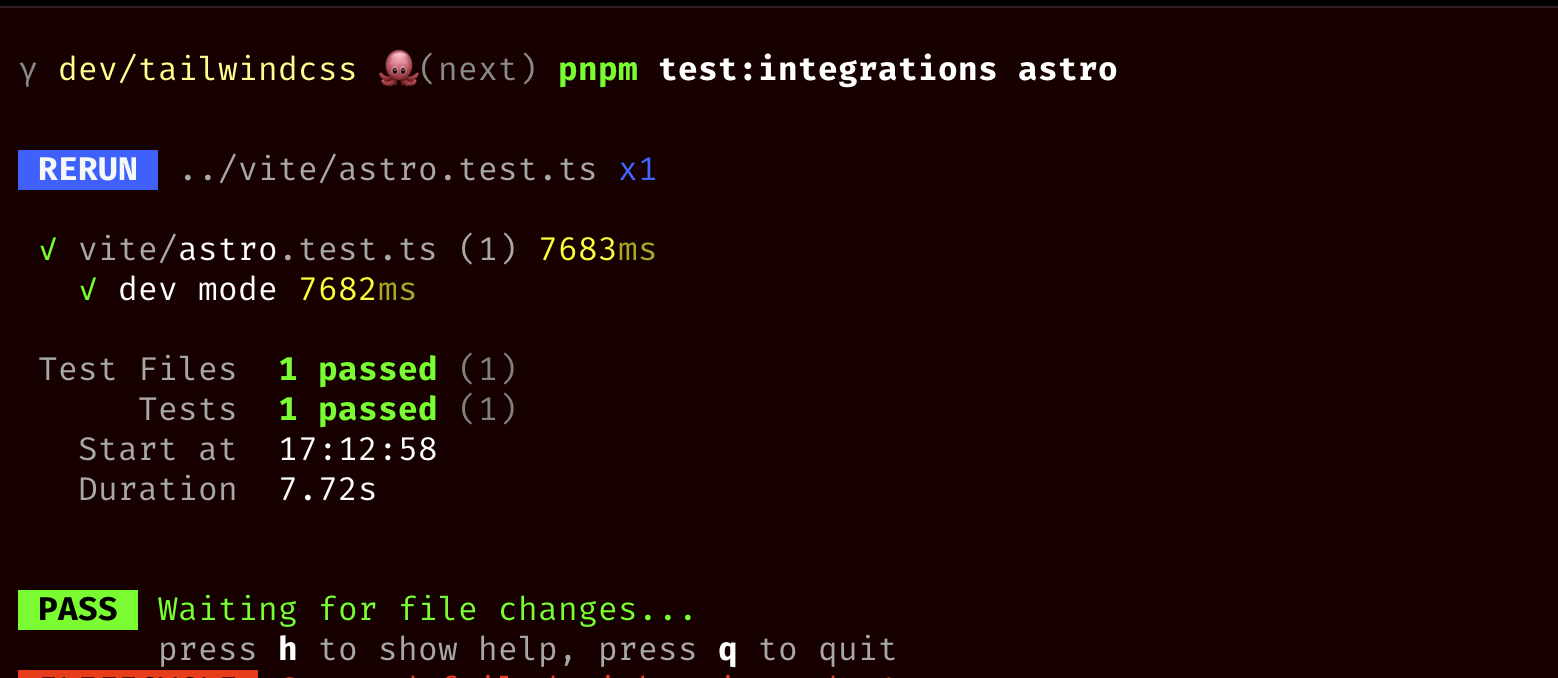
I've added integration tests to validate this works as expected.
Furthermore I've used the
[tailwindcss-playgrounds](https://github.com/philipp-spiess/tailwind-playgrounds)
SvelteKit project to ensure this works in an end-to-end setup:
<img width="2250" alt="Screenshot 2024-11-08 at 14 45 31"
src="https://github.com/user-attachments/assets/64e9e0f3-53fb-4039-b0a7-3ce945a29179">
Part of the current changes, we also want to make the `--line-height-*`
namespace closer to the utility name so we're renaming it to
`--leading-*`:

```diff
  @theme {
-  --line-height-none: 1;
-  --line-height-tight: 1.25;
-  --line-height-snug: 1.375;
-  --line-height-normal: 1.5;
-  --line-height-relaxed: 1.625;
-  --line-height-loose: 2;

    /* ... */

+  --leading-none: 1;
+  --leading-tight: 1.25;
+  --leading-snug: 1.375;
+  --leading-normal: 1.5;
+  --leading-relaxed: 1.625;
+  --leading-loose: 2;

    /* ... */
  }
```

Notice that we did not change the nested values used in the `--text`
type scale, e.g.:

```css
@theme {
  /* Type scale */
  --text-xs: 0.75rem;
  --text-xs--line-height: 1rem;
}
```

These do not refer to the `leading` utility and instead refer to nested
properties so we're keeping those as-is.

## Test Plan

Added cases to the CSS `theme()` variable/JS plugin tests (interop
layer) and the integration tests (codemod layer).
Part of the current changes, we also want to make the
`--letter-spacing-*` namespace closer to the utility name so we're
renaming it to `--tracking-*`:

```diff
  @theme {
-  --letter-spacing-tighter: -0.05em;
-  --letter-spacing-tight: -0.025em;
-  --letter-spacing-normal: 0em;
-  --letter-spacing-wide: 0.025em;
-  --letter-spacing-wider: 0.05em;
-  --letter-spacing-widest: 0.1em;

    /* ... */

+  --tracking-tighter: -0.05em;
+  --tracking-tight: -0.025em;
+  --tracking-normal: 0em;
+  --tracking-wide: 0.025em;
+  --tracking-wider: 0.05em;
+  --tracking-widest: 0.1em;

    /* ... */
  }
```

## Test Plan

Added cases to the CSS `theme()` variable/JS plugin tests (interop
layer) and the integration tests (codemod layer).
This ensures our glob hoisting mechanism (see #14896) works on Windows
when performing an upgrade.

---------

Co-authored-by: Jordan Pittman <jordan@cryptica.me>
This PR adds migrations for the recent changes to the `--spacing` scale
done in #12263.

There are a few steps that we do to ensure we have the best upgrade
experience:

- If you are overwriting the `spacing` theme with custom values, we now
check if the new values are multiplies of the default spacing scale.
When they are, we can safely remove the overwrite.
- If you are extending the `spacing` theme, we will unset the default
`--spacing` scale and only use the values you provided.
- Any `theme()` function calls are replaced with `calc(var(--spacing) *
multiplier)` unless the values are extending the default scale.

One caveat here is for `theme()` key which can not be replaced with
`var()` (e.g. in `@media` attribute positions). These will not be able
to be replaced with `calc()` either so the following needs to stay
unmigrated:

```css
@media (max-width: theme(spacing.96)) {
  .foo {
    color: red;
  }
}
```

## Test plan

We are mainly testing two scenarios: The JS config _extends_ the
`spacing` namespace and the JS config _overwrites_ the `spacing`
namespace. For both cases we have added an integration test each to
ensure this works as expected. The test contains a mixture of keys (some
of it matching the default multiples, some don't, some have different
scales, and some use non-numeric identifiers). In addition to asserting
on the created CSS `@theme`, we also ensure that `theme()` calls are
properly replaced.

---------

Co-authored-by: Adam Wathan <adam.wathan@gmail.com>
Co-authored-by: Adam Wathan <4323180+adamwathan@users.noreply.github.com>
This PR updates all of the `--font-size-*` variables to `--text-*`
instead to closer match the utility names.

```diff
  @theme {
-   --font-size-xs: 0.75rem;
-   --font-size-xs--line-height: 1rem;
-   --font-size-sm: 0.875rem;
-   --font-size-sm--line-height: 1.25rem;
-   --font-size-base: 1rem;
-   --font-size-base--line-height: 1.5rem;
-   --font-size-lg: 1.125rem;
-   --font-size-lg--line-height: 1.75rem;
-   --font-size-xl: 1.25rem;
-   --font-size-xl--line-height: 1.75rem;

    /* ... */

+   --text-xs: 0.75rem;
+   --text-xs--line-height: 1rem;
+   --text-sm: 0.875rem;
+   --text-sm--line-height: 1.25rem;
+   --text-base: 1rem;
+   --text-base--line-height: 1.5rem;
+   --text-lg: 1.125rem;
+   --text-lg--line-height: 1.75rem;
+   --text-xl: 1.25rem;
+   --text-xl--line-height: 1.75rem;

    /* ... */
  }
```

This is part of a bigger set of changes where we're renaming other theme
variables as well with the same goals, since many existing theme
variables like `--shadow-*` and `--radius-*` are already not using the
explicit CSS property name.

---------

Co-authored-by: Adam Wathan <4323180+adamwathan@users.noreply.github.com>
Co-authored-by: Philipp Spiess <hello@philippspiess.com>
Co-authored-by: Jordan Pittman <jordan@cryptica.me>
This PR adds a new `**` variant to target any level of children.

This is very similar to the `*` variant, the big difference is that:

- `*` applies to direct children only
- `**` applies to any level of children

Thought of this because of all the recent work we did around globs. So a
good analogy for this is glob syntax where you have the exact same
difference. `*.html` vs `**/*.html`.
Fixes: #14839Fixes: #14796
This PR fixes an issue in the Vite extension where we previously only
ran a small list of allow-listed plugins for the second stage transform
in the build step. This caused some CSS features to unexpectedly not
work in production builds (one such example is Vue's `:deep(...)`
selector).
To fix this, I changed the allow listed plugins that we do want to run
to a block list to filter out some plugins we know we don't want to run
(e.g. the Tailwind Vite plugin for example or some built-in Vite plugins
that are not necessary).
## Test plan
This PR adds a new integration test suite to test interop with a custom
Vite transformer that looks like this:
```js
{
name: 'recolor',
transform(code, id) {
if (id.includes('.css')) {
return code.replace(/red/g, 'blue')
}
},
}
```
I also validated that this does indeed fix the Vue `:deep(...)` selector
related issue that we were seeing by copying the repro of #14839 into
our playground:

You can see in the screenshot above that the `:deep()` selector
overwrites the scoped styles as expected in both the dev mode and the
prod build (screenshotted).
Furthermore I reproduced the issue reported in
https://github.com/tailwindlabs/tailwindcss/issues/14796 and was able to
confirm that in a production build, the styling works as expected:
<img width="517" alt="Screenshot 2024-11-06 at 14 26 50"
src="https://github.com/user-attachments/assets/ade6fe38-be0d-4bd0-9a9a-67b6fec05ae0">
Lastly, I created a repository out of the biggest known-to-me Vite
projects: [Astro, Nuxt, Remix, SolidStart, and
SvelteKit](https://github.com/philipp-spiess/tailwind-playgrounds) and
verified that both dev and prod builds show no issue and the candidate
list is properly appended in each case.
---------
Co-authored-by: Jordan Pittman <jordan@cryptica.me>
Co-authored-by: Adam Wathan <adam.wathan@gmail.com>
Fixes#14784
This is an alternative to #14850 in which we actually perform url
rewriting / rebasing ourselves. We ported a large portion of the
URL-rewriting code from Vite (with attribution) to use here with some
minor modifications. We've added test cases for the url rewriting so
verifying individual cases is easy. We also wrote integration tests for
Vite that use PostCSS and Lightning CSS that verify that files are found
and inlined or relocated/renamed as necessary.
We also did some manual testing in the Playground to verify that this
works as expected across several CSS files and directories which you can
see a screenshot from here:
<img width="1344" alt="Screenshot 2024-11-05 at 10 25 16"
src="https://github.com/user-attachments/assets/ff0b3ac8-cdc9-4e26-af79-36396a5b77b9">
---------
Co-authored-by: Philipp Spiess <hello@philippspiess.com>
This PR fixes an issue where globs in you `content` configuration escape
the current "root" of the project.

This can happen if you have a folder, and you need to look up in the
tree (e.g.: when looking at another package in a monorepo, or in case of
a Laravel project where you want to look at mail templates).

This applies a similar strategy we already implement on the Rust side.

1. Expand braces in the globs
2. Move static parts of the `pattern` to the `base` of the glob entry
object

---

Given a project setup like this:
```
.
├── admin
│   ├── my-tailwind.config.ts
│   └── src
│       ├── abc.jpg
│       ├── index.html
│       ├── index.js
│       └── styles
│           └── input.css
├── dashboard
│   ├── src
│   │   ├── index.html
│   │   ├── index.js
│   │   ├── input.css
│   │   └── pickaday.css
│   └── tailwind.config.ts
├── package-lock.json
├── package.json
├── postcss.config.js
└── unrelated
    └── index.html

7 directories, 14 files
```


If you then have this config:
```ts
// admin/my-tailwind.config.ts
export default {
  content: {
    relative: true,
    files: ['./src/**/*.html', '../dashboard/src/**/*.html'],
                            //  ^^  this is the important part, which escapes
                            //      the current root of the project.
  },
  theme: {
    extend: {
      colors: {
        primary: 'red',
      },
    },
  },
}
```


Then before this change, running the command looks like this:
<img width="1760" alt="image"
src="https://github.com/user-attachments/assets/60e2dfc7-3751-4432-80e3-8b4b8f1083d4">


After this change, running the command looks like this:
<img width="1452" alt="image"
src="https://github.com/user-attachments/assets/5c47182c-119c-4732-a253-2dace7086049">

---------

Co-authored-by: Philipp Spiess <hello@philippspiess.com>
During the migration process, a lot of changes to the CSS file happen.
Some parts are converted, some parts are deleted and some new CSS is
added.

To make sure we are generating a sensible and good looking CSS file, we
will sort the final CSS and pretty print it.

The order we came up with looks like this:

```css
/* Imports */
@import "tailwindcss";
@import "../other.css";

/* Configuration */
@config "../path/to/tailwindcss.config.js";

@plugin "my-plugin-1";
@plugin "my-plugin-2";

@source "./foo/**/*.ts";
@source "./bar/**/*.ts";

@variant foo {}
@variant bar {}

@theme {}

/* Border compatibility CSS */
@layer base {}

/* Utilities */
@utility foo {}
@utility bar {}

/* Rest of your own CSS if any */
```

---------

Co-authored-by: Philipp Spiess <hello@philippspiess.com>
This PR renames the `--font-family-*` theme variables to `--font-*` to
more closely match the utility names and be a bit more terse in general.

```diff
  @theme {
-   --font-family-sans: ui-sans-serif, system-ui, sans-serif, 'Apple Color Emoji', 'Segoe UI Emoji', 'Segoe UI Symbol', 'Noto Color Emoji';
-   --font-family-serif: ui-serif, Georgia, Cambria, 'Times New Roman', Times, serif;
-   --font-family-mono: ui-monospace, SFMono-Regular, Menlo, Monaco, Consolas, 'Liberation Mono', 'Courier New', monospace;

+   --font-sans: ui-sans-serif, system-ui, sans-serif, 'Apple Color Emoji', 'Segoe UI Emoji', 'Segoe UI Symbol', 'Noto Color Emoji';
+   --font-serif: ui-serif, Georgia, Cambria, 'Times New Roman', Times, serif;
+   --font-mono: ui-monospace, SFMono-Regular, Menlo, Monaco, Consolas, 'Liberation Mono', 'Courier New', monospace;
  }
```

This is part of a bigger set of changes where we're renaming other theme
variables as well with the same goals, since many existing theme
variables like `--shadow-*` and `--radius-*` are already not using the
explicit CSS property name.

---------

Co-authored-by: Adam Wathan <4323180+adamwathan@users.noreply.github.com>
This PR adds a migration for migrating the changes we implemented in
https://github.com/tailwindlabs/tailwindcss/pull/14849

This is the migration we perform:

| Old               | New                |
| ----------------- | ------------------ |
| `shadow`          | `shadow-sm`        |
| `shadow-sm`       | `shadow-xs`        |
| `shadow-xs`       | `shadow-2xs`       |
| `inset-shadow`    | `inset-shadow-sm`  |
| `inset-shadow-sm` | `inset-shadow-xs`  |
| `inset-shadow-xs` | `inset-shadow-2xs` |
| `drop-shadow`     | `drop-shadow-sm`   |
| `drop-shadow-sm`  | `drop-shadow-xs`   |
| `rounded`         | `rounded-sm`       |
| `rounded-sm`      | `rounded-xs`       |
| `blur`            | `blur-sm`          |
| `blur-sm`         | `blur-xs`          |

Also added an integration test to ensure that `shadow` is properly
migrated to `shadow-sm`, and doesn't get migrated to `shadow-xs`
(because `shadow-sm` is migrated to `shadow-xs`).
This PR changes how we render `var(...)` calls for theme values,
removing the fallback values we were previously including.

```diff
  .text-white {
-   color: var(--color-white, #fff);
+   color: var(--color-white);
  }
```

We previously included the fallbacks only so you could see the value in
dev tools but this feels like a bad reason to bloat the CSS. I'd rather
just convince the Chrome team to surface this stuff better in dev tools
in the first place.

---------

Co-authored-by: Adam Wathan <4323180+adamwathan@users.noreply.github.com>
This PR replaces the default spacing scale (`--spacing-*`) with a
generative system based on a default spacing _unit_.

Instead of the default theme containing values like `--spacing-4`,
`--spacing-6`, `--spacing-8`, etc., instead we just define a single
`--spacing` value:

```css
@theme {
  --spacing: 0.25rem;
}
```

Utilities like `px-4` are derived from this unit by multiplying it by
the value in the utility (4 in this case):

```css
.px-4 {
  padding-inline: calc(var(--spacing) * 4);
}
```

The biggest consequence of this change is that every value is available
now, rather than just the explicitly configured values.

This means utilities like `px-42` will work now, whereas prior to this
PR only `px-40` and `px-44` were valid utilities. I personally found it
very difficult to know which values actually existed at the higher end
of the scale without IntelliSense, and in practice even when working
with a skilled designer like [Steve](https://x.com/steveschoger) who
helped design Tailwind's default spacing scale, I'd very often need to
break out of it to implement a design, and trying to round to a value
that was in the scale made the design worse, not better.

This PR allows you to use any whole number, as well as decimal numbers
that are multiples of `0.25` to ensure classes like `px-1.5` continue to
work. While this means you can now technically do things like
`pt-97.25`, I think the presence of the fractional value will be enough
of a signal to developers that they are doing something a little
unusual, and they can use their judgment as to whether they are making
the right decision or not.

I'll update this PR with a lot more detail when I have a chance, as
there are a few other things to explain like:

- Unifying all of the values for
width/min-width/max-width/height/min-height/max-height utilities
- Deriving numeric line-height values from the spacing multiplier
instead of a separate line-height scale
- Using `--spacing: initial` to disable the multiplier
- How you can still use an explicit spacing scale and ignore this change
- How we plan to use IntelliSense to surface a more curated set of
spacing values even if smaller increments work when you type them
explicitly

---------

Co-authored-by: Adam Wathan <4323180+adamwathan@users.noreply.github.com>
When migrating a project from Tailwind CSS v3 to Tailwind CSS v4, then
we started the migration process in the following order:

1. Migrate the JS/TS config file
2. Migrate the source files (found via the `content` option)
3. Migrate the CSS files

However, if you have a setup where you have multiple CSS root files
(e.g.: `frontend` and `admin` are separated), then that typically means
that you have an `@config` directive in your CSS files. These point to
the Tailwind CSS config file.

This PR changes the migration order to do the following:

1. Build a tree of all the CSS files
2. For each `@config` directive, migrate the JS/TS config file
3. For each JS/TS config file, migrate the source files

If a CSS file does not contain any `@config` directives, then we start
by filling in the `@config` directive with the default Tailwind CSS
config file (if found, or the one passed in). If no default config file
or passed in config file can be found, then we will error out (just like
we do now)

---------

Co-authored-by: Adam Wathan <adam.wathan@gmail.com>
This PR fixes an issue where a `@source` crashes when the path
eventually resolves to a path ending in `..`.

We have to make sure that we canonicalize the path to make sure that we
are working with the real directory.

---------

Co-authored-by: Jordan Pittman <jordan@cryptica.me>
This PR improves the PostCSS migrations to make sure that we install
`@tailwindcss/postcss` in the same bucket as `tailwindcss`.

If `tailwindcss` exists in the `dependencies` bucket, we install
`@tailwindcss/postcss` in the same bucket. If `tailwindcss` exists in
the `devDependencies` bucket, we install `@tailwindcss/postcss` in the
same bucket.

This also contains an internal refactor that normalizes the package
manager to make sure we can install a package to the correct bucket
depending on the package manager.

---------

Co-authored-by: Adam Wathan <adam.wathan@gmail.com>
We broke this at some point — probably when we tried to optimize
rebuilds in PostCSS by not performing a full auto-source detection scan.

This PR addresses this problem by:
1. Storing a list of found directories
2. Comparing their mod times on every scan
3. If the mod time has changed we scan the directory for new files which
we then store and scan
This PR introduces a new `source(…)` argument and improves on the
existing `@source`. The goal of this PR is to make the automatic source
detection configurable, let's dig in.

By default, we will perform automatic source detection starting at the
current working directory. Auto source detection will find plain text
files (no binaries, images, ...) and will ignore git-ignored files.

If you want to start from a different directory, you can use the new
`source(…)` next to the `@import "tailwindcss/utilities"
layer(utilities) source(…)`.

E.g.:

```css
/* ./src/styles/index.css */
@import 'tailwindcss/utilities' layer(utilities) source('../../');
```

Most people won't split their source files, and will just use the simple
`@import "tailwindcss";`, because of this reason, you can use
`source(…)` on the import as well:

E.g.:

```css
/* ./src/styles/index.css */
@import 'tailwindcss' source('../../');
```

Sometimes, you want to rely on auto source detection, but also want to
look in another directory for source files. In this case, yuo can use
the `@source` directive:

```css
/* ./src/index.css */
@import 'tailwindcss';

/* Look for `blade.php` files in `../resources/views` */
@source '../resources/views/**/*.blade.php';
```

However, you don't need to specify the extension, instead you can just
point the directory and all the same automatic source detection rules
will apply.

```css
/* ./src/index.css */
@import 'tailwindcss';

@source '../resources/views';
```

If, for whatever reason, you want to disable the default source
detection feature entirely, and only want to rely on very specific glob
patterns you define, then you can disable it via `source(none)`.

```css
/* Completely disable the default auto source detection */
@import 'tailwindcss' source(none);

/* Only look at .blade.php files, nothing else  */
@source "../resources/views/**/*.blade.php";
```

Note: even with `source(none)`, if your `@source` points to a directory,
then auto source detection will still be performed in that directory. If
you don't want that, then you can simply add explicit files in the globs
as seen in the previous example.

```css
/* Completely disable the default auto source detection */
@import 'tailwindcss' source(none);

/* Run auto source detection in `../resources/views` */
@source "../resources/views";
```

---------

Co-authored-by: Jordan Pittman <jordan@cryptica.me>
Co-authored-by: Adam Wathan <4323180+adamwathan@users.noreply.github.com>
This PR adds a migration to bump the `prettier-plugin-tailwindcss`
version to the latest version when upgrading your project. This is to
ensure that the plugin is compatible with the latest version of Tailwind
CSS.

Note: we will only do this _if_ you already used the
`prettier-plugin-tailwindcss` plugin in your project.
This PR is a continuation of #14783 to handle the feedback on that PR.

1. Update the test to be more realistic
2. Updated the comment

---------

Co-authored-by: Adam Wathan <4323180+adamwathan@users.noreply.github.com>
This PR fixes an issue where `layer(…)` next to imports were removed
where they shouldn't have been removed.

The issue exists if _any_ of the `@import` nodes in a file contains
`@utility`, if that's the case then we removed the `layer(…)` next to
_all_ `@import` nodes.

Before we were checking if the current sheet contained `@utility` or in
any of its children (sub-`@import` nodes).

This fixes that by looping over the `@import` nodes in the current
sheet, and looking for the `@utility` in the associated/imported file.
This way we update each node individually.

Test plan:
---

Added a dedicated integration test to make sure all codemods together
result in the correct result. Input:

96e8908378/integrations/upgrade/index.test.ts (L2076-L2108)

Output:

96e8908378/integrations/upgrade/index.test.ts (L2116-L2126)
This PR improves where we inject the border compatibility CSS. Before
this change we injected it if it was necessary in one of these spots:

- Above the first `@layer base` to group it together with existing
`@layer base` at-rules.
- If not present, after the last `@import`, to make sure that we emit
valid CSS because `@import` should be at the top (with a few
exceptions).

However, if you are working with multiple CSS files, then it could be
that we injected the border compatibility CSS multiple times if those
files met one of the above conditions.

To solve this, we now inject the border compatibility CSS with the same
rules as above, but we also have another condition:

The border compatibility CSS is only injected if the file also has a
`@import "tailwindcss";` _or_ `@import "tailwindcss/preflight";` in the
current file.

---

Added integration tests to make sure that we are generating what we
expect in a real environment. Some of the integration tests also use the
old `@tailwind` directives to make sure that the order of migrations is
correct (first migrate to `@import` syntax, then inject the border
compatibility CSS).

---------

Co-authored-by: Adam Wathan <adam.wathan@gmail.com>
This PR fixes an issue where currently a `theme()` function call inside
an arbitrary value that used a dot in the key path:

```jsx
let className = "ml-[theme(spacing[1.5])]"
```

Was causing issues when going though the codemod. The issue is that for
candidates, we require `_` to be _escaped_, since otherwise they will be
replaced with underscore. When going through the codemods, the above
candidate would be translated to the following CSS variable access:

```js
let className = "ml-[var(--spacing-1\_5))"
```

Because the underscore was escaped, we now have an invalid string inside
a JavaScript file (as the `\` would escape inside the quoted string.

To resolve this, we decided that this common case (as its used by the
Tailwind CSS default theme) should work without escaping. In
https://github.com/tailwindlabs/tailwindcss/pull/14776, we made the
changes that CSS variables used via `var()` no longer unescape
underscores. This PR extends that so that the Variant printer (that
creates the serialized candidate representation after the codemods make
changes) take this new encoding into account.

This will result in the above example being translated into:

```js
let className = "ml-[var(--spacing-1_5))"
```

With no more escaping. Nice!

## Test Plan

I have added test for this to the kitchen-sink upgrade tests.
Furthermore, to ensure this really works full-stack, I have updated the
kitchen-sink test to _actually build the migrated project with Tailwind
CSS v4_. After doing so, we can assert that we indeed have the right
class name in the generated CSS.

---------

Co-authored-by: Adam Wathan <adam.wathan@gmail.com>
This PR fixes an issue when trying to resolve plugins with `exports` in
their `package.json`, like `@headlessui/tailwindcss`. The missing
`conditionNames` in the enhanced resolver config would cause it to not
properly look up the name.
## Test Plan
I added a test using the `postcss` setup (the existing plugin tests are
inside the CLI setup but the CLI can only ever run in Module JS mode).
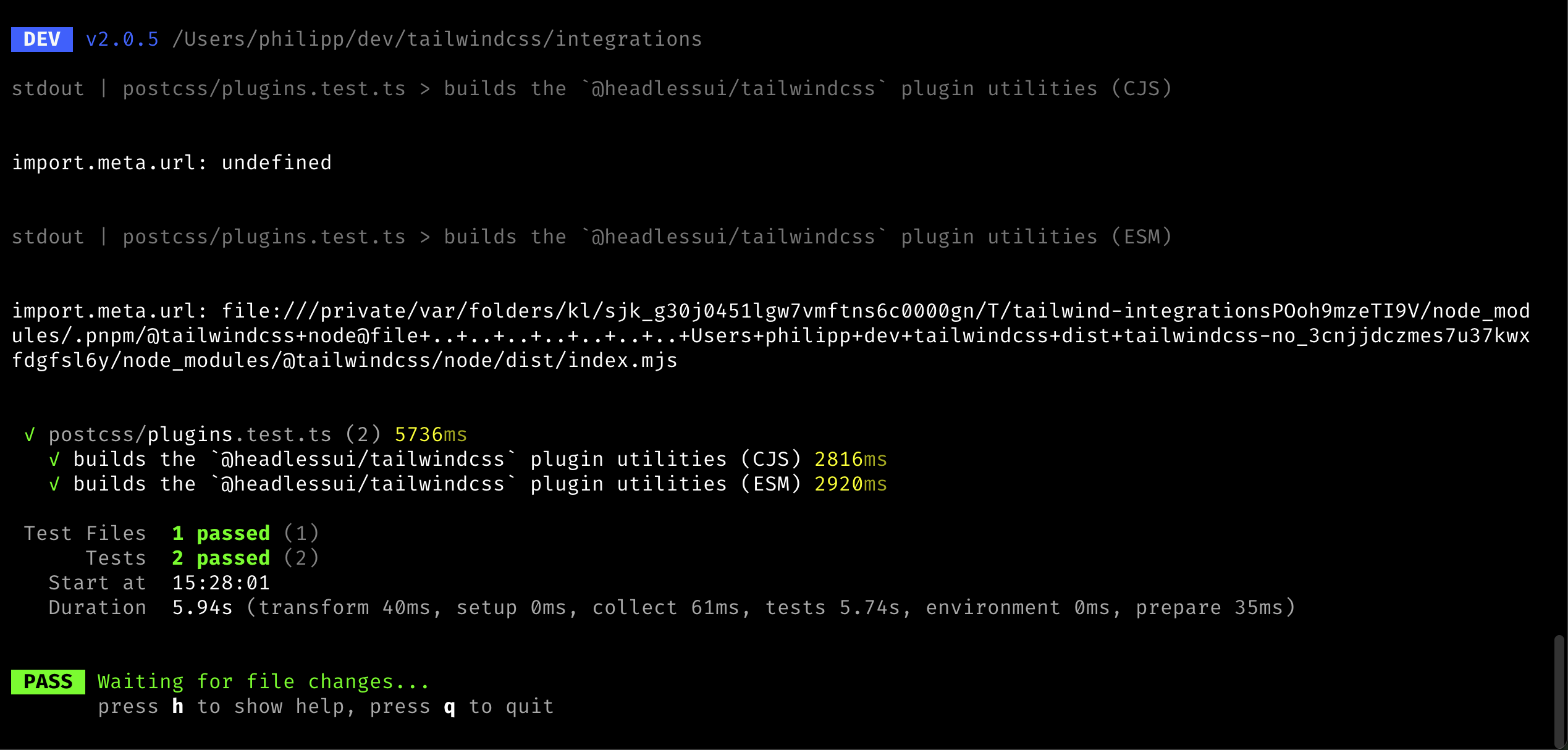
To ensure the tests are resolving to the right environment (CJS vs MJS),
I added logging of the `import.meta.url` value to the resolver code.
When run, this was the output:
Co-authored-by: Adam Wathan <adam.wathan@gmail.com>
This PR improves the heuristics around the important codemod (e.g.
`!border` => `border!`) as we noticed a few more cases where we the
current heuristics was not enough.

Specifically, we made it not migrate the candidate in the following
conditions:

- When there's an immediate property access: `{ "foo": !border.something
+ ""}`
- When it's used as condition in the template language: `<div
v-if="something && !border"></div>` or `<div x-if="!border"></div>`

## Test plan

I added test cases to the unit tests and updated the integration test to
contain a more sophisticated example.

---------

Co-authored-by: Adam Wathan <adam.wathan@gmail.com>
This PR makes sure the `migrateImport` codemod is properly registered so
that it runs as part of the upgrade process.

## Test plan

This PR adds a new `v3` playground with an `upgrade` script that you can
use to run the upgrade from the local package. When you add a
non-prefixed `@import` to the v3 example, the paths are now properly
updated with no errors logged:


https://github.com/user-attachments/assets/85949bbb-756b-4ee2-8ac0-234fe1b2ca39

---------

Co-authored-by: Adam Wathan <4323180+adamwathan@users.noreply.github.com>
Co-authored-by: Philipp Spiess <hello@philippspiess.com>
This PR fixes an issue where JS configuration theme properties with dots
or slashes in them would not migrate correctly. E.g.:

```ts
import { type Config } from 'tailwindcss'

module.exports = {
  theme: {
    width: {
      1.5: '0.375rem',
      '1/2': '50%',
    }
  }
}
```

This should convert to:

```css
@theme {
  --width-1_5: 0.375rem;
  --width-1\/2: 50%;
}
```

_Note: We will likely change the `--width-1_5` key to `--width-1\.5` in
a follow-up PR._

---------

Co-authored-by: Robin Malfait <malfait.robin@gmail.com>
Co-authored-by: Adam Wathan <4323180+adamwathan@users.noreply.github.com>
Co-authored-by: Adam Wathan <adam.wathan@gmail.com>
This PR adds a codemod that ensures that the border styles from Tailwind CSS v3 work as expected once your project is migrated to Tailwind CSS v4.

In Tailwind CSS v3, the default border color is `colors.gray.200` and in Tailwind CSS v4 the default border color is `currentColor`.

Similarly in Tailwind CSS v3, DOM elements such as `input`, `select`, and `textarea` have a border width of `0px`, in Tailwind CSS v4, we don't change the border width of these elements and keep them as `1px`.

If your project happens to already use the same value for the default border color (`currentColor`) as we use in Tailwind CSS v4, then nothing happens. But this is very unlikely, so we will make sure that we honor your `borderColor.DEFAULT` value.

If you didn't change the default values in your `tailwind.config.js`, then we will inject compatibility CSS using the default Tailwind CSS v3 values to ensure the default color and width are applied correctly.
The important candidate migration is one of the most broad we have since it matches for any utility that are prefixed with an exclamation mark.

When running the codemodes on our example projects, we noticed that this was instead creating false-positives with candidates used in code positions, e.g:

```ts
export default {
  shouldNotUse: !border.shouldUse,
}
```

To prevent false-positives, this PR adds a heuristics to detect wether or not a candidate is used in a non-code position. We do this by checking the character before and after the modifier and only allow quotes or spaces.

This can cause candidates to not migrate that are valid Tailwind CSS classes, e.g.:

```ts
let classNames = `!underline${isHovered ? ' font-bold' : ''}`
```

This, however, is not a big issue since v4 can parse the v3 important prefix too.
This PR migrates the `@variants` and `@responsive` directives.

In Tailwind CSS v2, these were used to generate certain variants of responsive variants for the give classes. In Tailwind CSS v3, these still worked but were implemented as a no-op such that these directives don't end up in your final CSS.

In Tailwind CSS v4, these don't exist at all anymore, so we can safely get rid of them by replacing them with their contents.

Input:
```css
@variants hover, focus {
  .foo {
    color: red;
  }
}

@responsive {
  .bar {
    color: blue;
  }
}
```

Output:
```css
.foo {
  color: red;
}

.bar {
  color: blue;
}
```
Fixes: #14558

This PR fixes an issue where our Vite plugin would crash when trying to load stylesheets via certain static asset query parameters:

```ts
import raw from './style.css?raw'
import url from './style.css?url'
```

The proper behavior for our extension is to _not touch these file at all_. The `?raw` identifier should never transform anything and the `?url` one will emit a module which points to the asset URL. However, if that URL is loaded as a stylesheet, another transform hook is called and the file is properly transformed. I verified this in the Vite setup and have added an integration test ensuring these two features work as expected.

I've also greatly reduced the complexity of the Vite playground to make it easier to set up examples like this in the future.
We have a migration that adds the `layer(…)` next to the `@import`
depending on the order of original values. For example:
```css
@import "tailwindcss/utilities":
@import "./foo.css":
@import "tailwindcss/components":
```

Will be turned into:
```css
@import "tailwindcss":
@import "./foo.css" layer(utilities):
```

Because it used to exist between `utilities` and `components`. Without
this it would be _after_ `components`.

This results in an issue if an import has (deeply) nested `@utility`
at-rules after migrations. This is because if this is generated:
```css
/* ./src/index.css */
@import "tailwindcss";
@import "./foo.css" layer(utilities);

/* ./src/foo.css */
@utility foo {
  color: red;
}
```

Once we interpret this (and thus flatten it), the final CSS would look
like:
```css
@layer utilities {
  @utility foo {
    color: red;
  }
}
```

This means that `@utility` is not top-level and an error would occur.

This fixes that by removing the `layer(…)` from the import if the
imported file (or any of its children) contains an `@utility`. This is
to ensure that once everything is imported and flattened, that all
`@utility` at-rules are top-level.
This PR updates all of our OKCLH colors to use `0` instead of `none` due
to weird behavior in Chrome where using `color-mix` with colors using
`none` produces unexpected results:
<img width="1110" alt="image"
src="https://github.com/user-attachments/assets/2272e494-500b-4f75-b5c1-d41c714f0339">
Both `none` and `0` behave as expected in Safari and Firefox so
suspecting this is a bug in Chrome rather than spec'd behavior.
Fixes#14740
---------
Co-authored-by: Adam Wathan <4323180+adamwathan@users.noreply.github.com>
This PR changes the migration of `content` rules in the JS config to CSS codemods.

When a `content` rule is processed which matches files that are _also matched by the automatic content discovery in v4_, we do not need to emit CSS for that rule.

Take, for example this v3 configuration file:

```ts
import { type Config } from 'tailwindcss'

module.exports = {
  content: [
    './src/**/*.{html,js}',
    './node_modules/my-external-lib/**/*.{html}'
  ],
} satisfies Config
```

Provided the base directories match up, the first rule will also be covered by the automatic content discovery in v4 and thus we only need to convert the second rule to CSS:

```css
@import "tailwindcss";
@source '../node_modules/my-external-lib/**/*.{html}';
```
This PR extends our JS configuration to CSS migration by also allowing `plugins` with options.

An example of such config would be:

```js
import { type Config } from 'tailwindcss'
import myPlugin from "./myPlugin";

export default {
  plugins: [
    myPlugin({
      class: "tw",
    }),
  ],
} satisfies Config;
```

If the option object contains only values allowed in our CSS API, we can convert this to CSS entirely:

```css
@plugin './myPlugin' {
  class: 'tw';
}
```
With the changes in #14672, it now becomes trivial to actually resolve
the config (while still retaining the reset behavior). This means that
we can now convert JS configs that use _functions_, e.g.:

```ts
import { type Config } from 'tailwindcss'

export default {
  theme: {
    extend: {
      colors: ({ colors }) => ({
        gray: colors.neutral,
      }),
    },
  },
} satisfies Config
```

This becomes:

```css
@import 'tailwindcss';

@theme {
  --color-gray-50: #fafafa;
  --color-gray-100: #f5f5f5;
  --color-gray-200: #e5e5e5;
  --color-gray-300: #d4d4d4;
  --color-gray-400: #a3a3a3;
  --color-gray-500: #737373;
  --color-gray-600: #525252;
  --color-gray-700: #404040;
  --color-gray-800: #262626;
  --color-gray-900: #171717;
  --color-gray-950: #0a0a0a;
}
```

---------

Co-authored-by: Adam Wathan <adam.wathan@gmail.com>
Co-authored-by: Robin Malfait <malfait.robin@gmail.com>
This PR builds on top of the new [JS config to CSS
migration](https://github.com/tailwindlabs/tailwindcss/pull/14651) and
extends it to support migrating _static_ plugins.

What are _static_ plugins you might ask? Static plugins are plugins
where we can statically determine that these are coming from a different
file (so there is nothing inside the JS config that creates them). An
example for this is this config file:

```js
import typographyPlugin from '@tailwindcss/typography'
import { type Config } from 'tailwindcss'

export default {
  content: ['./src/**/*.{js,jsx,ts,tsx}'],
  darkMode: 'selector',
  plugins: [typographyPlugin],
} satisfies Config
```

Here, the `plugins` array only has one element and it is a static import
from the `@tailwindcss/typography` module. In this PR we attempt to
parse the config file via Tree-sitter to extract the following
information from this file:

- What are the contents of the `plugins` array
- What are statically imported resources from the file

We then check if _all_ entries in the `plugins` array are either static
resources or _strings_ (something I saw working in some tests but I’m
not sure it still does). We migrate the JS config file to CSS if all
plugins are static and we can migrate them to CSS `@plugin` calls.

## Todo

This will need to be rebased after the updated tests in #14648