



MapillaryJS
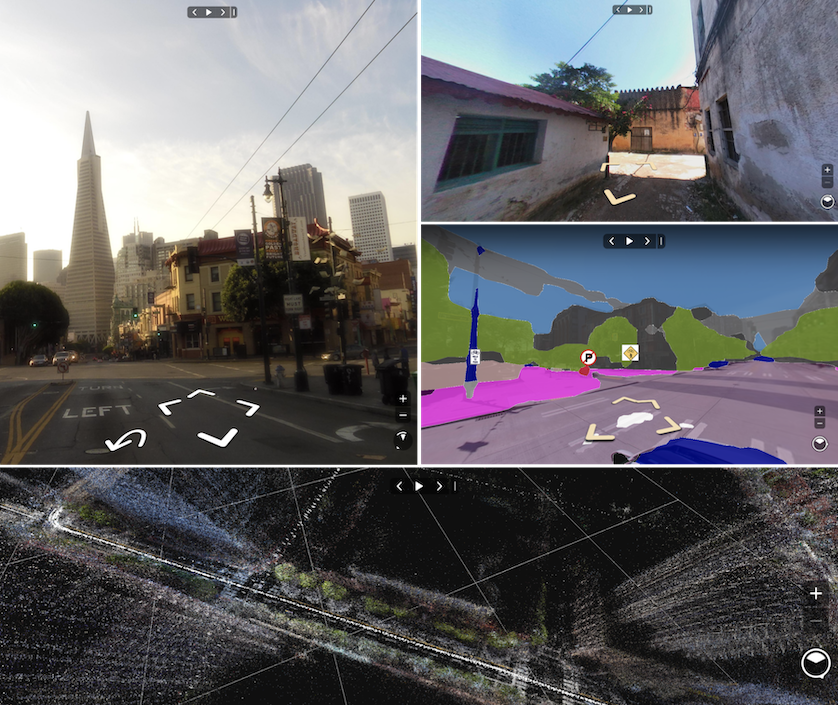
MapillaryJS is an interactive street imagery and semantic mapping visualization platform on the web. It takes spatial, semantic, and texture data and renders it using JavaScript and WebGL. It can be augmented and extended with custom rendering, animation, camera controls, interactivity, and data providers.
Installation and usage
To start using MapillaryJS with data from the Mapillary platform, you need an app token. When providing your own data, no app token is needed.
ES6 bundler
Install the package via Yarn (or npm).
yarn add mapillary-js
Use a CSS loader or include the CSS file in the <head> of your HTML file.
<link
  href="https://unpkg.com/mapillary-js@4.0.0-beta.5/dist/mapillary.css"
  rel="stylesheet"
/>
Include the following code in your JavaScript file.
import { Viewer } from "mapillary-js";

const viewer = new Viewer({
  apiClient: "<your app token>",
  container: "<your HTML element ID>",
  imageId: "<your image ID for initializing the viewer>",
});
TypeScript
Install the package via Yarn (or npm).
yarn add mapillary-js
Use a CSS loader or include the CSS file in the <head> of your HTML file.
<link
  href="https://unpkg.com/mapillary-js@4.0.0-beta.5/dist/mapillary.css"
  rel="stylesheet"
/>
Include the following code in your TypeScript file.
import { Viewer, ViewerOptions } from "mapillary-js";

const options: ViewerOptions = {
  apiClient: "<your app token>",
  container: "<your HTML element ID>",
  imageId: "<your image ID for initializing the viewer>",
};
const viewer = new Viewer(options);
CDN
Include the JavaScript and CSS files in the <head> of your HTML file.
<script src="https://unpkg.com/mapillary-js@4.0.0-beta.5/dist/mapillary.js"></script>
<link
  href="https://unpkg.com/mapillary-js@4.0.0-beta.5/dist/mapillary.css"
  rel="stylesheet"
/>
Add a container to the <body> of your HTML file.
<div id="mly" style="width: 400px; height: 300px;"></div>
The global UMD name for MapillaryJS is mapillary. Include the following script in the <body> of your HTML file.
<script>
var { Viewer } = mapillary;

var viewer = new Viewer({
  apiClient: "<your app token>",
  container: "mly",
  imageId: "<your image ID for initializing the viewer>",
});
</script>
Documentation
- Getting started with MapillaryJS
- Developing extensions
- Examples
- API reference
- Migration guide
- Contributor documentation
Code of Conduct
Facebook has adopted the Contributor Covenant as its Code of Conduct, and we expect project participants to adhere to it. Please read the full text so that you can understand what actions will and will not be tolerated.
License
MapillaryJS is MIT licensed.